AFA4000/1 Airflow Monitor / p.44
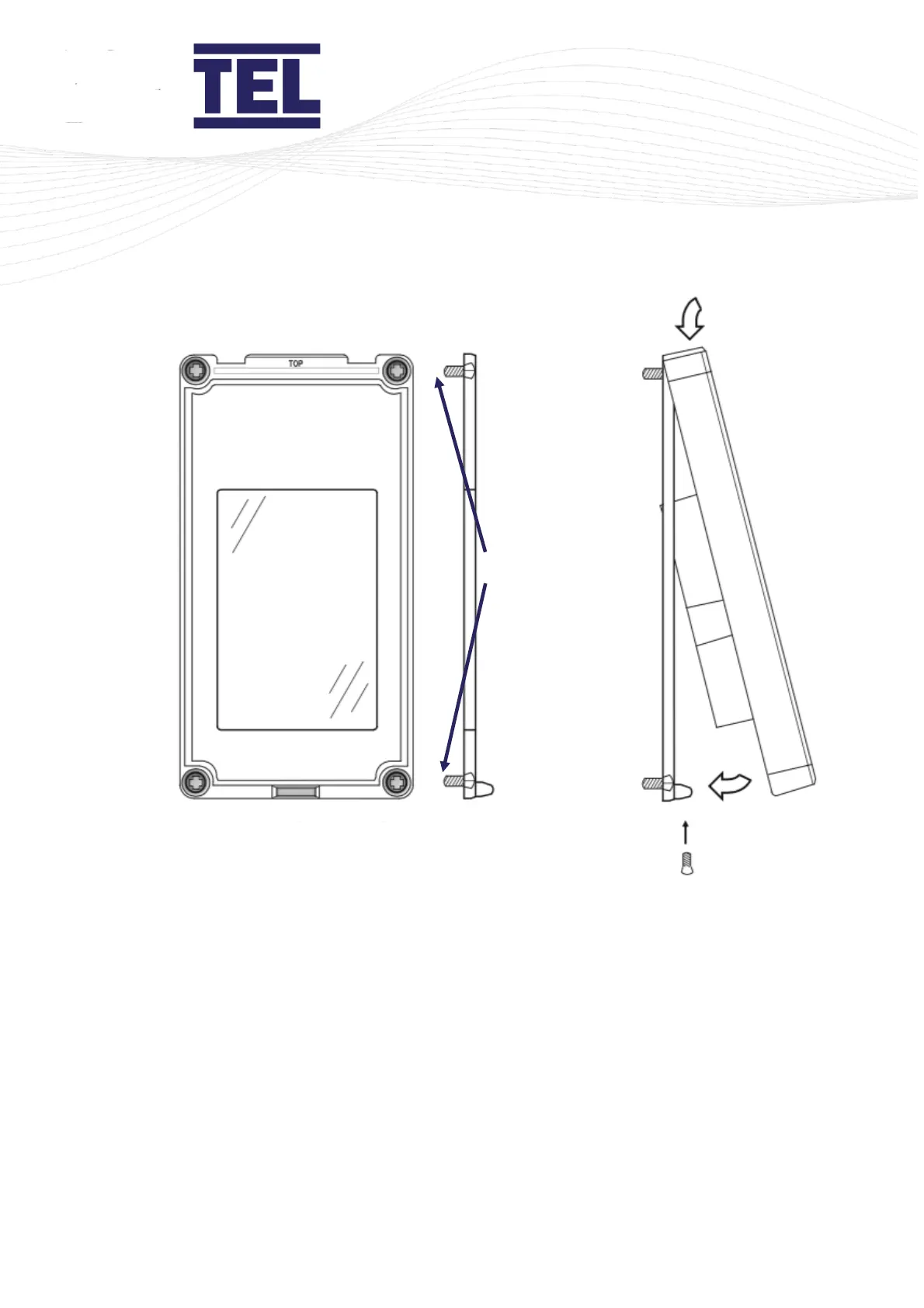
Figure 18: AFA4000 installation
2. Use 4 fixing screws to secure the mounting bracket to the front panel of the fume
cupboard (A in Figure 18).
Make sure the 4 fixing screws are fully recessed into the counter-sunk fixing holes (B
in Figure 18).
3. Place the AFA4000 onto the top of the mounting bracket and click it into place (C in
Figure 18).
4. Push the bottom of the AFA4000 onto the mounting bracket (D in Figure 18).
5. Secure the AFA4000 to the mounting bracket using the fixing screw in the bottom
face of the monitor (E in Figure 18).


 To Next Page