TMS-MA Telecor Media Source Model A Installation Manual 15
C. Overview
C.1 Front Panel
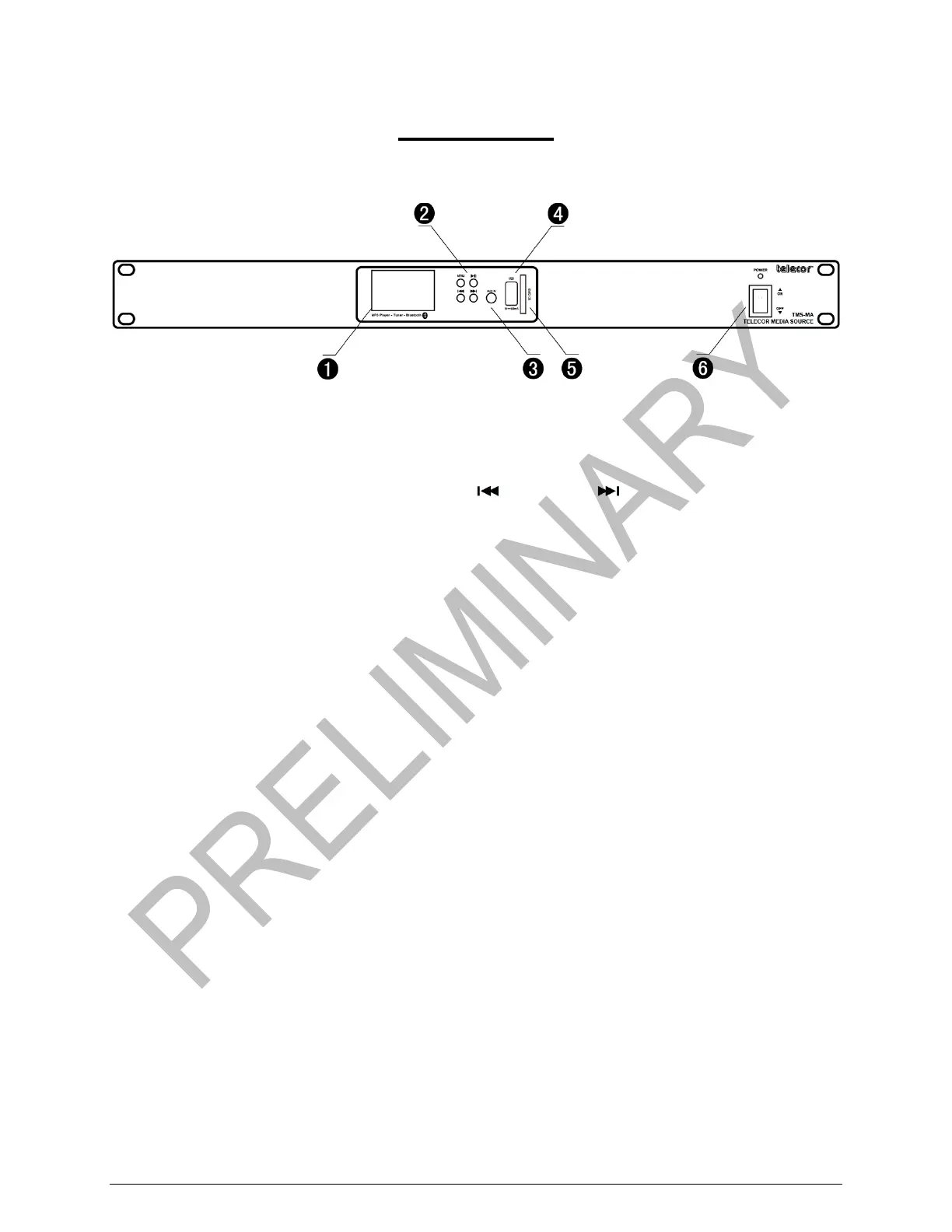
Front Panel of Telecor Media Source Model A
1. LCD Display: Provides information about the current operation, e.g., the current audio track or
radio station.
2. Operational Buttons: Menu, Play/Pause, Left ( ), and Right ( ).
3. AUX IN Port: Used to connect an auxiliary input audio device.
4. USB Connection Port: Used to connect a USB drive.
5. SD/MMC Card Slot: Used to insert an SD/MMC card.
6. Power Switch: Supplies power to the TMS-MA. The Power LED illuminates when power is
supplied.


 To Next Page