TMS-MA Telecor Media Source Model A Installation Manual 17
D. Operations
D.1.1 Powering On the TMS-MA
1. Press the power switch on the front of the TMS-MA to ensure power is supplied. The
Power LED will illuminate when power is supplied.
2. Press and hold MENU on the front of the TMS-MA or the POWER button on the remote
until the LCD display lights up.
Note: The TMS-MA being supplied with power and being powered on are two different states. If the
power supply is turned off while the TMS-MA remains powered on, it will instantly power on next
time power is supplied.
D.1.2 Playing USB Drive/SD/MMC Card Audio
To play audio from a USB drive/SD/MMC card:
1. Insert the USB drive into the USB slot or the SD/MMC card into the SD/MMC card slot
on the front of the TMS-MA. Once detected, the MP3 files should automatically begin
playing.
2. If the audio files on the USB drive/SD/MMC card are not automatically detected and
played, press and hold MENU on the front of the TMS-MA or Mode on the remote until
the main menu appears.
3. Press MENU on the front of the TMS-MA or Mode on the remote until “Music” is
selected.
4. Press Play/Pause on the front of the TMS-MA or the remote.
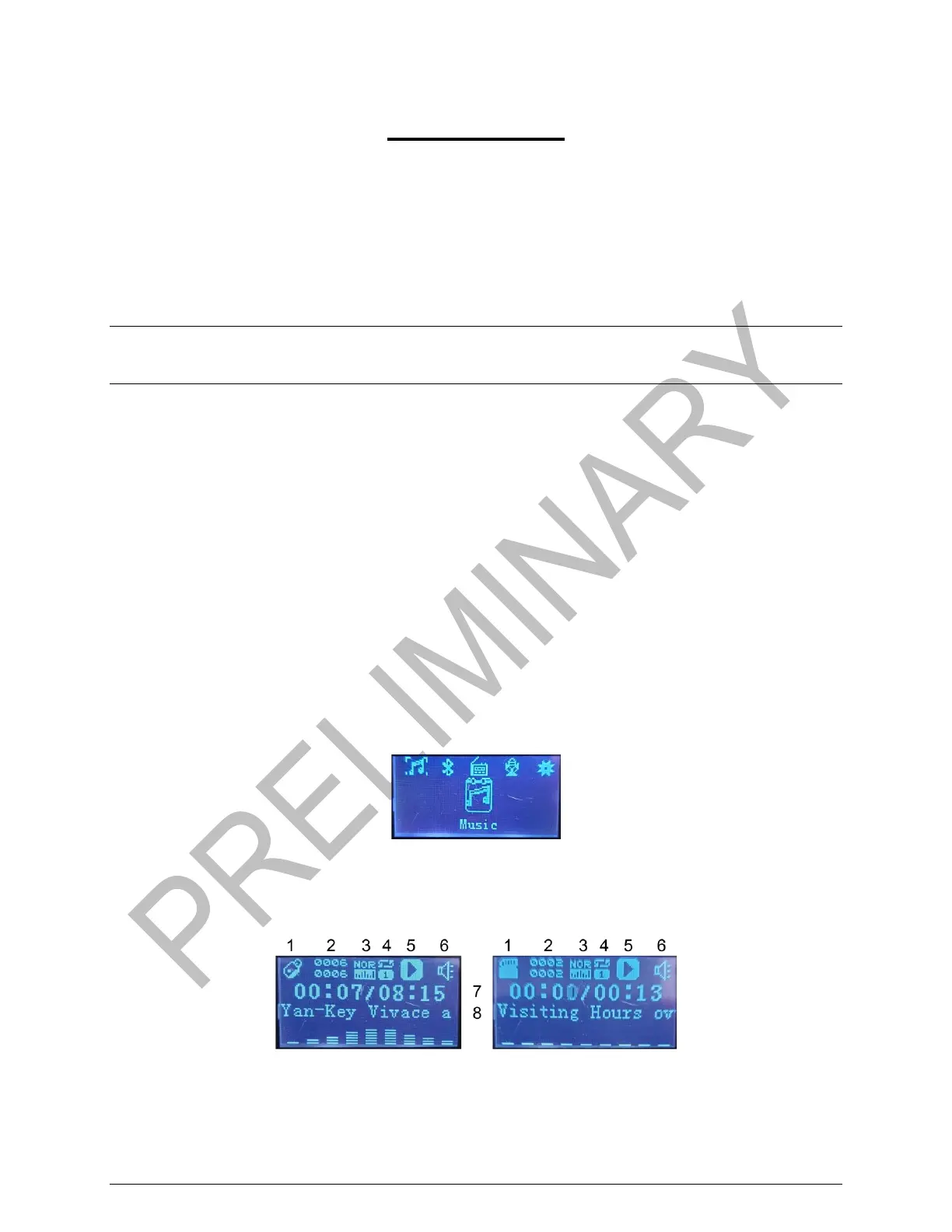
Selecting Music (USB Drive/SD/MMC Card)
When the TMS-MA is set to play audio from a USB drive/SD/MMC card, the LCD display on the
front of the TMS-MA will display the following:
Playing USB Drive (Left) or SD/MMC Card (Right) Audio Display


 To Next Page