1-4
1 Introduction Model 2000A-EU
Teledyne Analytical Instruments
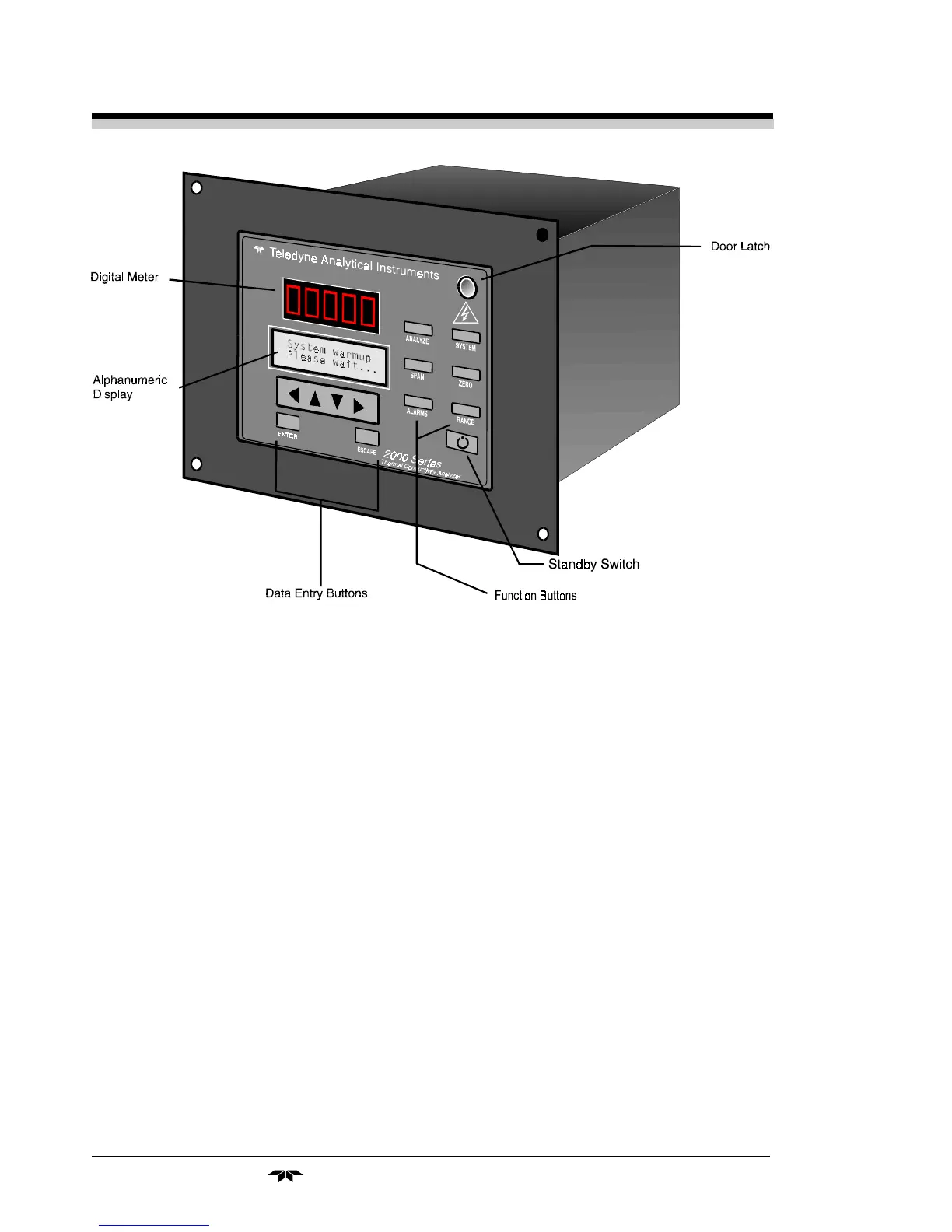
• System Perform system-related tasks (described in detail in
chapter 4, Operation.).
• Span Span calibrate the analyzer.
• Zero Zero calibrate the analyzer.
• Alarms Set the alarm setpoints and attributes.
• Range Set up the user definable ranges for the instrument.
Data Entry Keys: Six touch-sensitive membrane switches are used to
input data to the instrument via the alphanumeric VFD display:
• Left & Right Arrows Select between functions currently
displayed on the VFD screen.
• Up & Down Arrows Increment or decrement values of
functions currently displayed.
• Enter Moves VFD on to the next screen in a series. If none
remains, returns to the
Analyze
screen.
Figure 1-1: Model 2000A Front Panel



 To Next Page