USEFUL TIPS 8
To set a PIN code for the installed micro-SIM card, go to MENU > Settings > Network & Connectivity
> SIM Manager > SIM Security > SIM PIN, select On, enter a number (4 to 8 digits long) using
the keypad, and select Done.
To change the PIN code for the installed micro-SIM card, go to MENU > Settings > Network &
Connectivity > SIM Manager > SIM Security > Change SIM PIN, enter the current PIN code and
a new PIN code the using the keypad, and select Done.
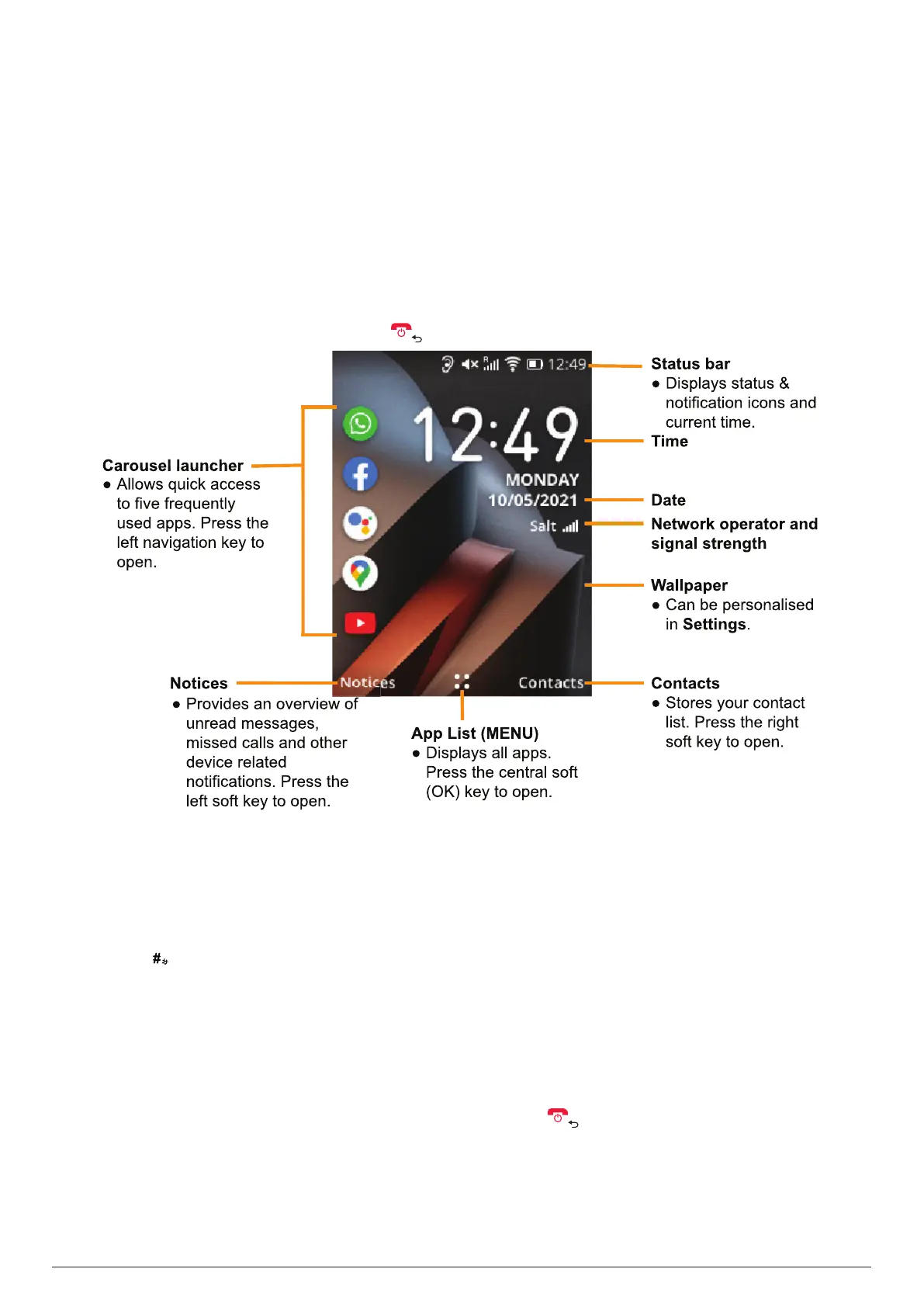
5.4 Home screen
The home screen acts as your principal interface with the phone. From this screen, you can access
the phone's major functions using a number of shortcuts, which is illustrated below.
Tip: To return to the home screen, press one or more times.
6. USEFUL TIPS
6.1 Entering and editing text
When your phone is in edit mode, the default input method is English letter.
Press the key to cycle through Abc, abc, ABC, 123, and Predictive input modes.
For normal text input, press a number key (2-9) repeatedly until the desired character is displayed.
If the character you want is entered by the same key as the previous character, press that key after
the little line below the previous character disappears.
To enter a space, press the 0 key.
To move the cursor left or right one step at a time, press the left or right navigation key. Press the
up and down navigation keys to move the cursor to the start and end of the line respectively.
To delete the already entered characters or symbols, press to delete anything before the cursor
one at a time or long press the key to delete all entered text at once.
To quickly enter a common punctuation mark in "Abc/abc/ABC" input mode, press the 1 key to
cycle through the common punctuation marks until the desired punctuation mark is highlighted.



 To Next Page