UNDERSTANDING YOUR PHONE 4
3. UNDERSTANDING YOUR PHONE
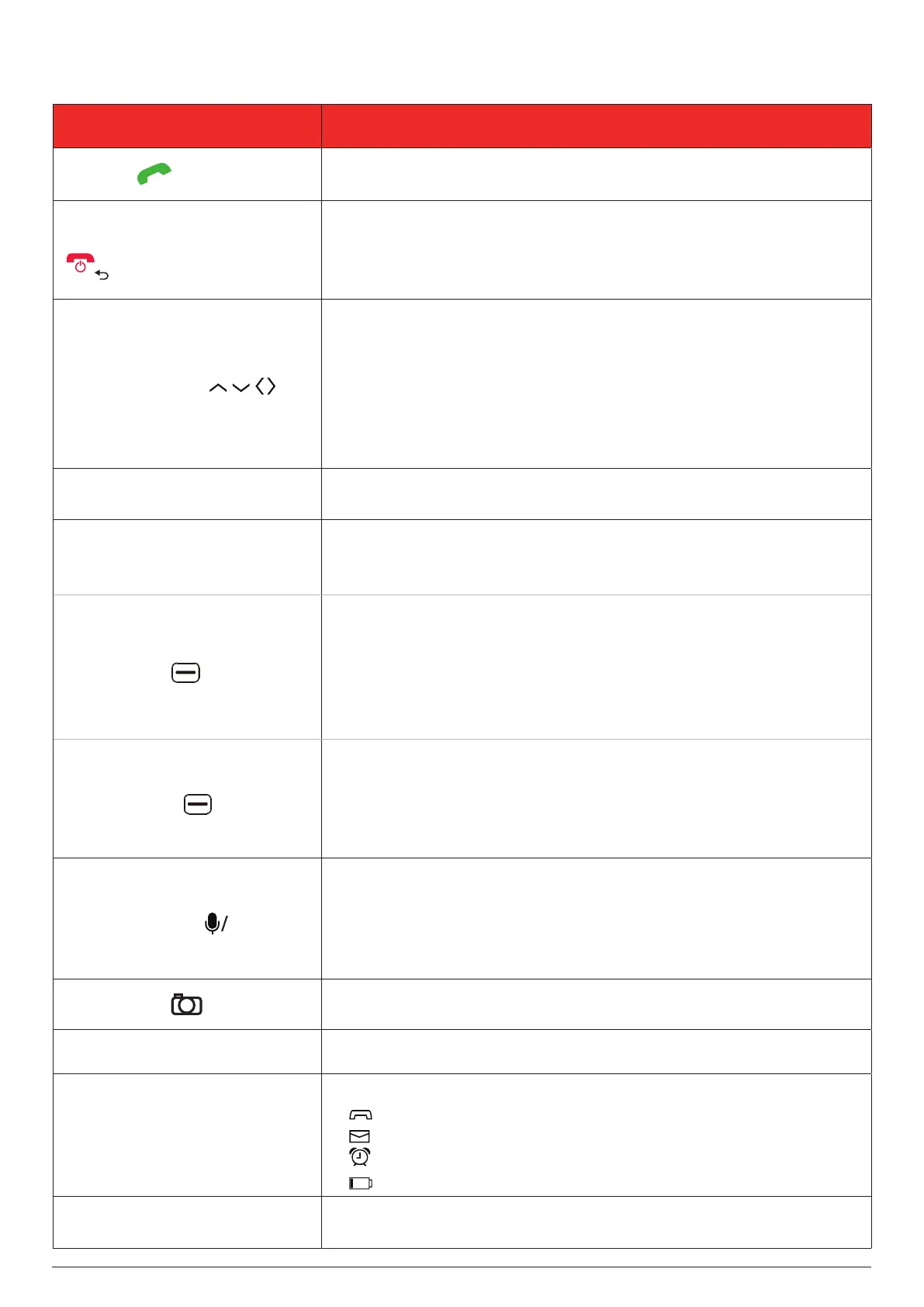
PART DESCRIPTION
Call key
Press to make or answer a phone call.
Press to view the call log.
End call / Return / Power key
Long press to power the phone on or off.
Press to end a call.
Press to delete characters before the cursor in edit mode.
Press to return to the previous screen or close a dialog box.
Navigation keys
Press to go up, down, left, or right in the App List (MENU) or
calender.
Press Up on the home screen to open quick settings.
Press Left on the home screen to open the carousel launcher.
Press Up or Down to highlight an item in a list.
Press Left or Right to move the cursor in edit mode or go to
another tab on the screen.
M1 / M2
Assignable direct memory keys (For more info, see "12.3 Speed
dial" on page 15).
Main screen
Displays messages, images, date, time, status icons, etc.
Turns on when you open the phone cover and turns off when
you close the phone cover.
Left soft key
Press to select the item displayed in the lower-left corner of the
screen. The following are the common use cases:
Press to open Notices (e.g. notifications for received messages)
from the home screen.
Press to add a new event, contact, or message.
Press to cancel the current action or return to the previous screen.
Right soft key
Press to select the item displayed in the lower-right corner of the
screen.
The following are the common use cases:
Press to open Contacts from the home screen.
Press to view the Options for the highlighted item.
Central soft key
Press to select the item displayed in lower centre of the screen.
The following are the common use cases:
Press to open the App List (MENU) from the home screen.
Press to select or open the highlighted item in a list.
Press and hold to launch the Voice Assistant.
Camera key
Press to open the Camera app from the home screen and take
pictures or record videos.
Receiver Lets you hear the caller and voice prompts or messages.
LED indicators
These indicators light up to inform you of key events.
- You have missed calls.
- You have new messages.
- Your alarm is ringing.
- The battery is charging.
Volume keys (up and down)
Press to adjust the ringtone and media volume.
Press to adjust the receiver volume during a phone call.



 To Next Page