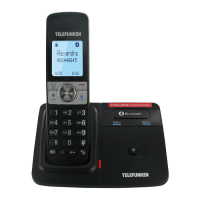
TX Bluetooth 68
Set up PABX
Thanks to this function you can to set up automatically a prefix and make some external call with a
PABX.
Once the prefix set up, it will be automaticaly dialed for the home line’s calls
Note : a “Pause” must be dialed after PABX Prefix
1. Press MENU/OK and select Settings
2. Choose PABX
3. Enter the code and confirm by MENU/OK.
To delete or switch off this feature, juste delete PABX code using MUTE/REMOVE key.
6 SETTINGS
Handset settings
Handset ringer volume
Using this menu, you can set the ringer volume level (1-6), or turn the ringer off. When the ringer is
turned off, the <RINGER OFF> icon flashes on the handset screen. You can select the ringer
volume for the incoming home and mobile calls.
1. Press MENU/OK then select Audio.
2. Select Ringer volume.
3. Choose Home, Mobile 1, Mobile 2 or All home & mobile
4. Browse each volume level. A sample of each ringer volume plays as you scroll through the
choices.
5. Level 1 to 6 and Ringer off are available.
6. Press MENU/OK to save.
Ringer tone
You can select different ringer tones for home and mobile calls.
1. Press MENU/OK then select Audio.
2. Select Ringer tone.
3. Choose Home, Mobile 1, or Mobile 2.
4. Browse each ringer tone. A sample of each ringer tone plays as you scroll through the
choices.
5. Press MENU/OK to save.
Note: If you turn C the ringer volume, you do not hear ringer tone samples.
Alert tones (Key tone, Low battery and No coverage)
You can turn on or C the alert tones of key press, battery low and out of range.
1. In standby mode, press MENU/OK then select Audio.
2. Select Key tone, low battery or No coverage.
3. Select On or Off.
4. Press MENU/OK to confirm.


 To Next Page