PREPARATION
Select language by sending text message LANG xx to HouseControl, xx being the language:
EN (English) or FI (Finnish).
Close the unit’s cover and fasten it with screws. Monitoring is now off and your phone number
is the first number in the unit’s phone directory. It is important to realize that your
HouseControl can be accessed only from your phone number at this point. Of course, you can
add more users later.
The language command clears the entire phone directory and the name of the unit (if given). If
you want to change language later, you must re-enter all users in the phone directory.
P1 +35844nnnn (Your phone number is in
Version: HC-Eplus_Users_Manual_1_0_en_001.doc
se a GSM subscription (SIM card) from a telecommunications operator.
Prepaid subscriptions are discouraged because they stop working at some point when
the balance runs out.
Disable PIN code request from the SIM card.
phone and disable it from the setup menu. (Consult your mobile phone’s manuals for
further help).
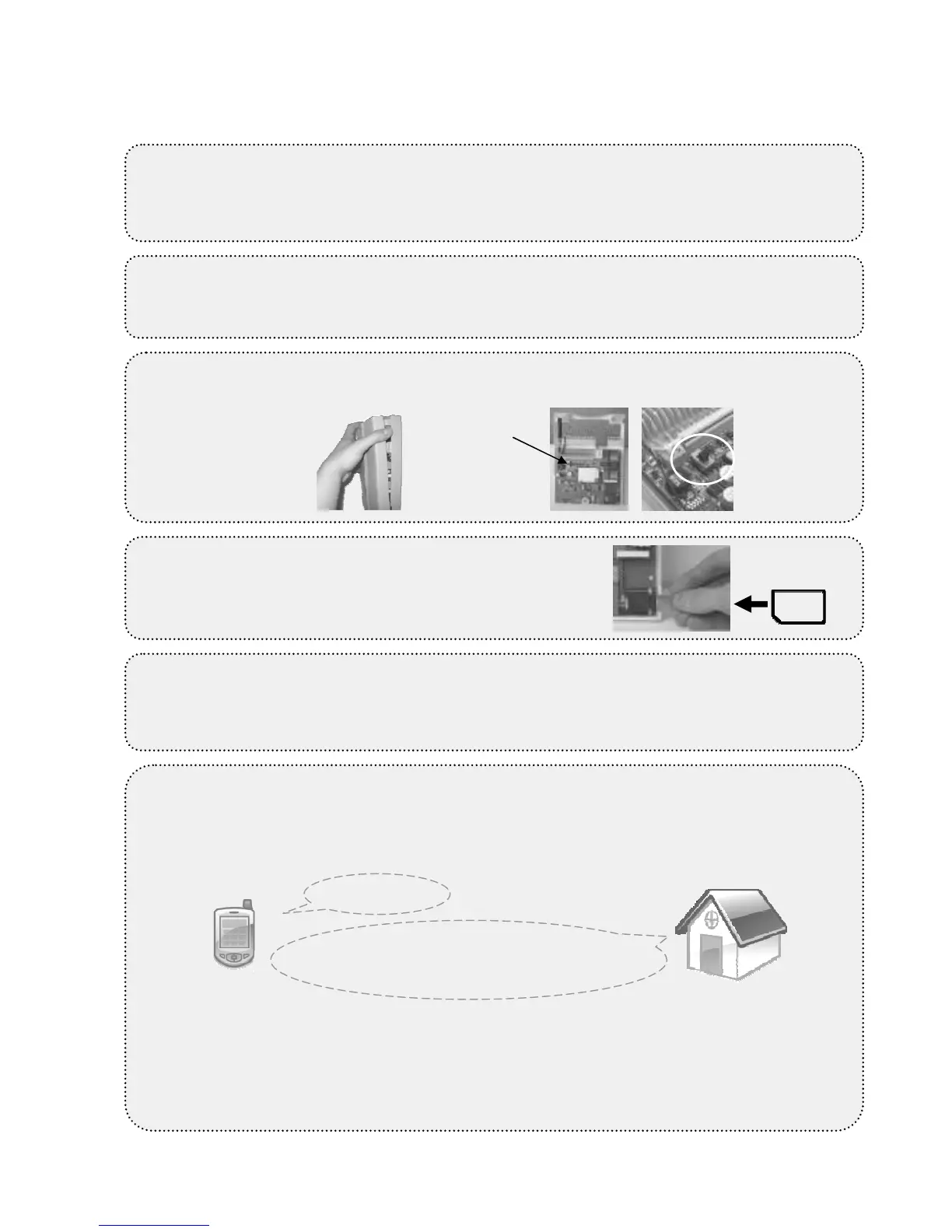
Power switch must be OFF while doing
this. You can find the SIM card slot from the
bottom of the central unit. You will hear a
click when the card is properly locked.
Select language. Send language command as a text message to HouseControl.
1.
Open the screws so that the
power switch is OFF, and then connect central unit to the battery backup.
6.
wait 30 seconds for the central unit to start
unit’s status light does not start blinking, make sure the PIN code request is disabled, the
GSM connection is opened by your operator, the GSM signal strength is sufficient, and the
SIM card was placed properly in the central unit. Make a test call to your HouseControl.
You will hear 3 beeps.



 To Next Page