Installation and Setup cont’d
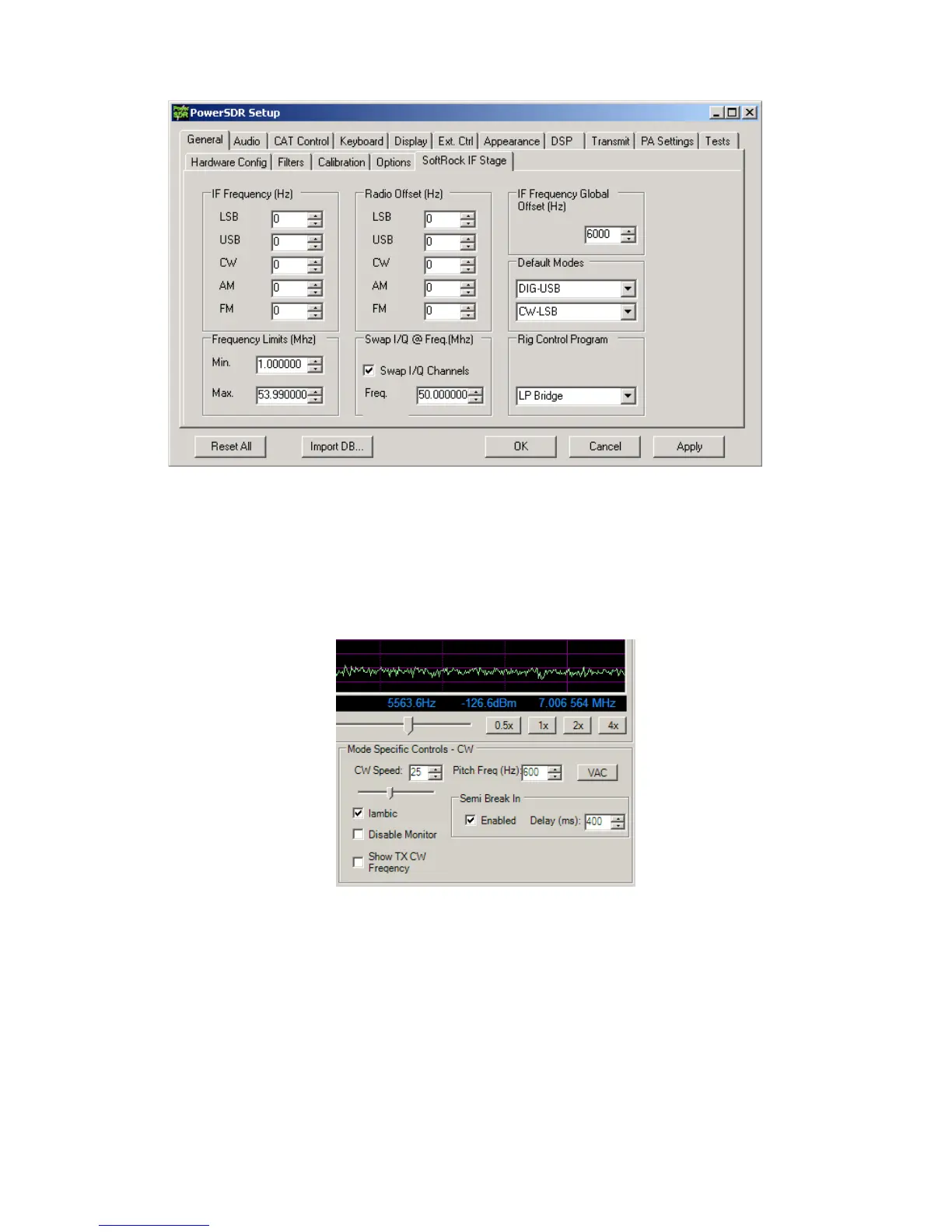
To fine tune the Global Offset, tune in a carrier to a comfortable pitch on the K3. Turn the volume of the sound card monitor up so that
you hear the output of PowerSDR at about the same level as the K3. The two tones should be similar, but probably not exactly the
same pitch. Adjust the Global Offset control in PowerSDR until the beat note between the K3 and PowerSDR is 1Hz or less. This
setting will work for all modes.
CW Pitch adjustment – Another adjustment that must be made is for CW Pitch. There are three adjustments that affect pitch, in addition
to the Global Offset adjustment that you just performed. One is in the K3, one is in PowerSDR and the last is in LP-Bridge. Briefly, they
should all be set to the same value. The CW Pitch adjustment in PowerSDR appears on the main display whenever a CW mode is
selected. It is in the section called “Mode Specific Controls”, under the panadapter window.
As soon as Elecraft adds the promised CW Pitch command in the K3, this adjustment will be automated.



 To Next Page