Operation
PowerSDR Operation
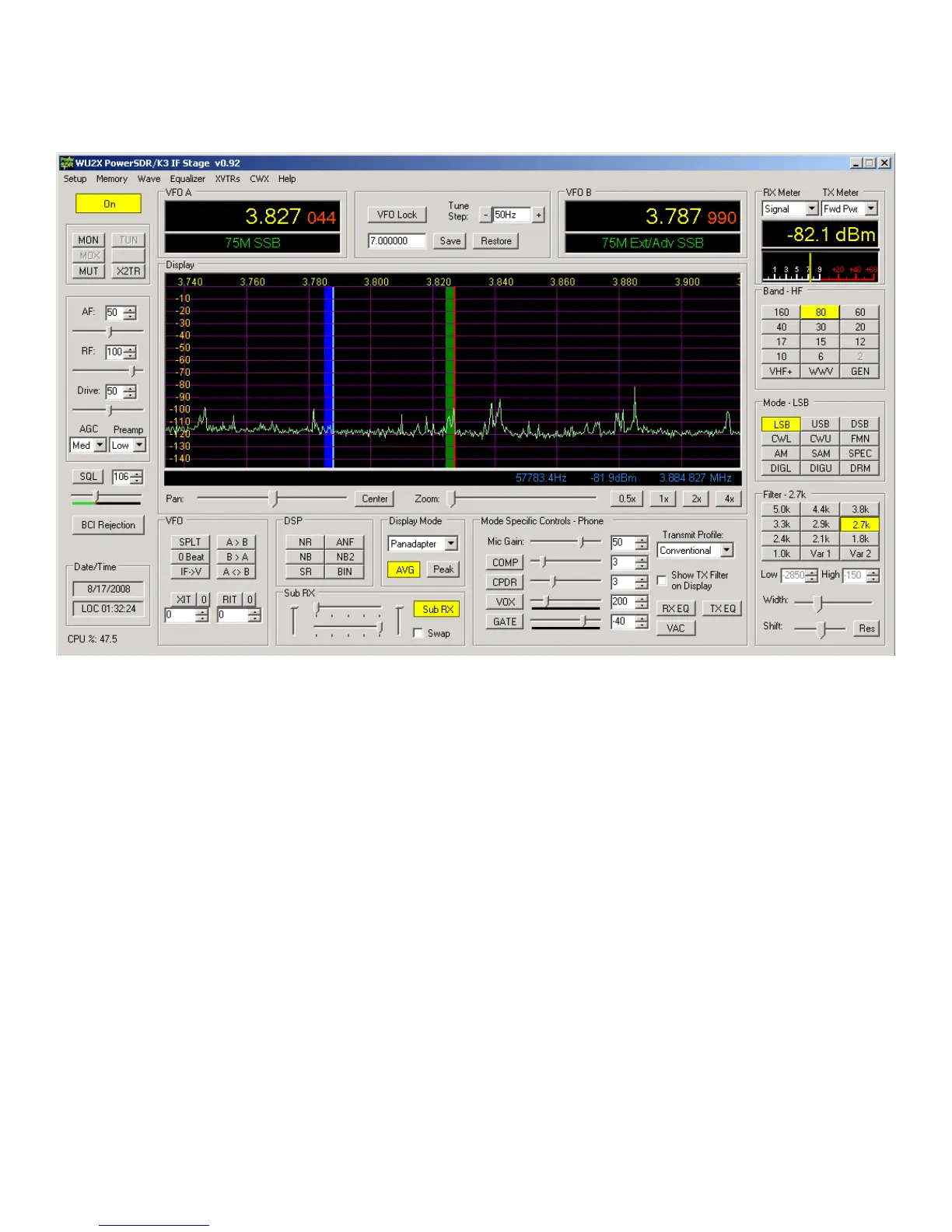
Above is the normal PowerSDR-IF Stage display. Most of the controls are not active for LP-PAN use, including all transmit controls.
MUT, MON… The term mute in context with PowerSDR means the muting of the audio output of PowerSDR when transmitting. If you
use LP-PAN only as a display, mute has no real meaning. Normally, mute is a software function handled by LP-Bridge and PowerSDR.
It can be disabled by selecting MON in PowerSDR if you want to hear your transmit signal. PowerSDR always displays the spectrum of
your low level transmit signal. Hardware mute is also provided by LP-PAN, but will not be needed by most operators. In general, LP-
Bridge will provide fast enough muting to handle muting in software for VOX or semi-break-in CW keying. This is not the case with
HRD, which has a sizable delay. If you require faster or special muting, contact TelePost support for suggestions on using hardwae
mute.
AGC… Adjusts the AGC setting for PowerSDR reception only (not K3).
Preamp… Adjusts the vertical scale to correspond to the K3 preamp condition. LP-Bridge is required for this to happen automatically.
With K3 preamp “OFF”, the PowerSDR mode should be OFF. With the K3 preamp ON, the PowerSDR mode will be “Low”.
DSP Section… These apply only to PowerSDR reception.
Sub Rx Section… Applies to PowerSDR receiver channels. The vertical sliders do nothing, the horizontal ones allow panning of the
main and sub receivers to left and right speakers. When Sub RX is on, there are two passbands displayed… green for main and blue
for sub. Green is linked to VFOA and blue is linked to VFOB.
Display Mode… A number of modes exist, including Panadapter, Audio Scope, Waterfall, etc. Also, AVG and Peak modes of display
are selected here. Applies only to display.
Band… Selects band for both PowerSDR and K3. This can be used as a quick way to change bands.
Mode… Selects mode for both PowerSDR and K3. Modes not supported in K3 are ignored by K3. Modes such as DRM require
additional software to decode. SAM is Synchronous AM mode.



 To Next Page