ECLIPSE 8/16/32/99 Series – User Operation Manual
34
Enter at the address 10 and choose a user number - the LED for zone 1 is blinking on the
display. The digit buttons corresponding to the set proxy options are lighting on in red. To
change settings, press the respective button number according the table above.
The final choice is confirmed by pressing the ENTER button.
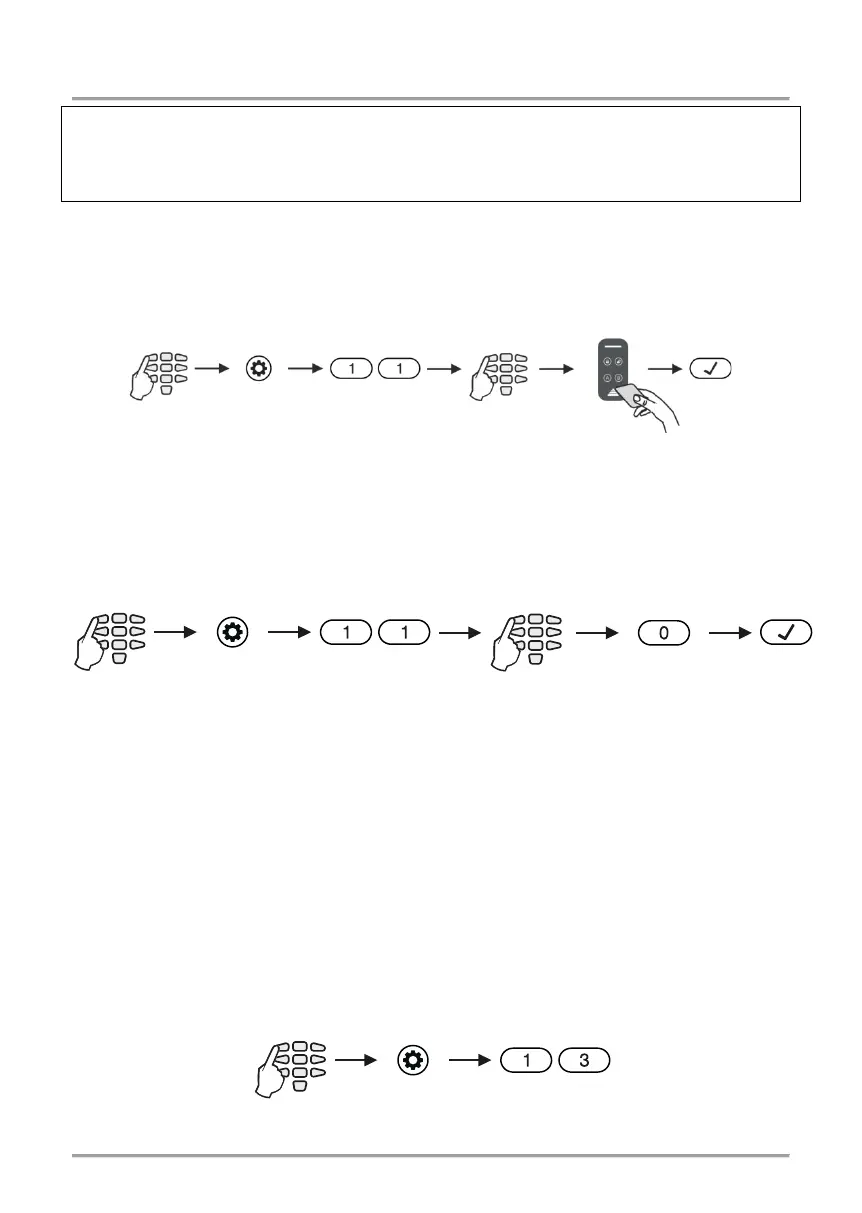
5.12 Registering a User card
Registering a user card is done in menu “1. USERS – xx. User – 07. User Card” or
Address 11, after entering manager code:
See also the detailed description of item 4.5.
5.13 Deleting a User card
Deleting a card is done again in menu “1. USERS – xx. User – 07. User Card” or Address
11, after entering a manager code:
See also the detailed description of item 4.6.
5.14 Cloning Users
Attention: This menu is available for ECLIPSE 32/99 control panel only.
This is an address for copying (cloning) of attributes, rights, associations, timeslots and
rights for work with proxy cards. The address allows the settings of one user code to be
copied to one or more users, which saves the need to program setting for every user
separately.
Cloning is done in menu “1. USERS – xx. User – 08. User Clone” or Address 13, after
entering manager code:
1. USERS - xx. User -
Put the card over
the reader
1. USERS - xx. User -
for 2-3 sec.
1. USERS - xx. User -
















 To Next Page