ECLIPSE 8/16/32/99 Series – User Operation Manual
40
5.22 Setting the Sound Level
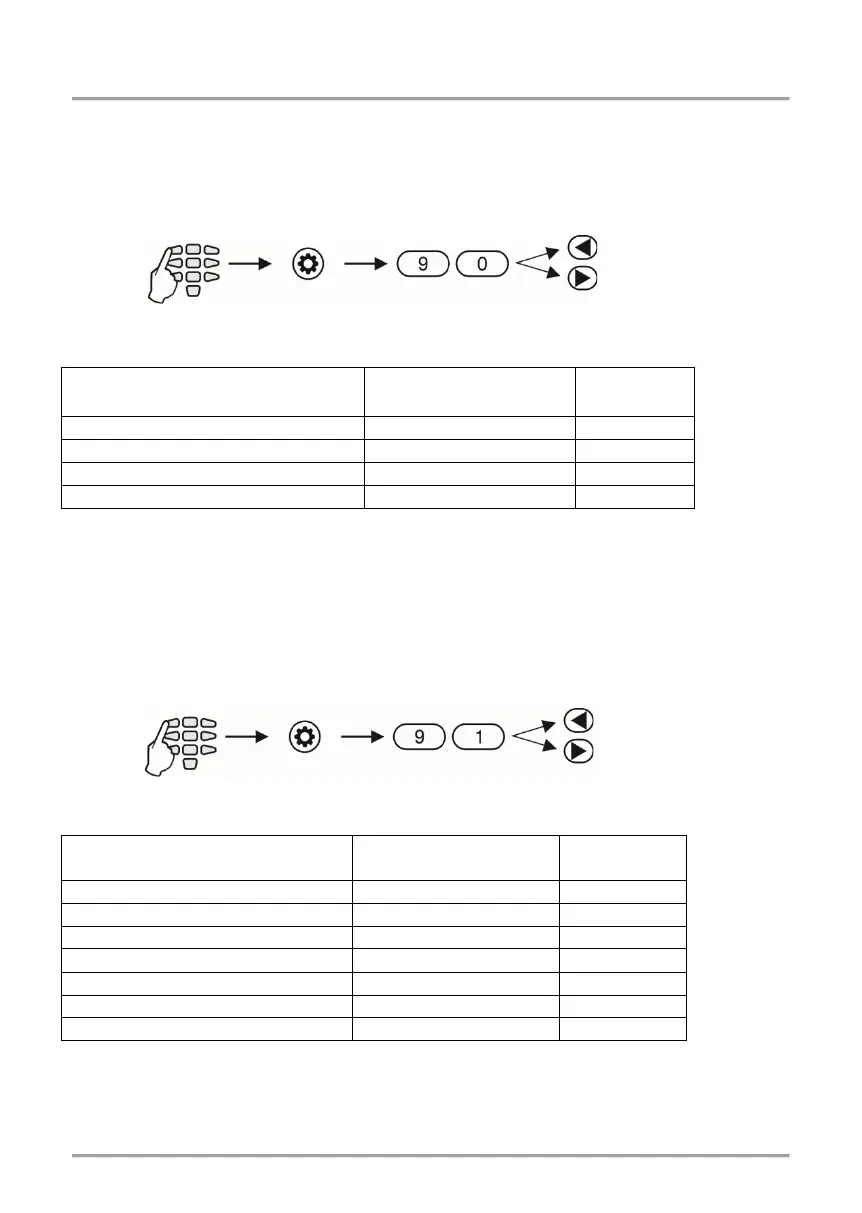
In menu “5. KBD SETTINGS – 1. BUZZER LEVEL” or Address 90 you can set the volume
level of the keyboard buzzer. The setting is individual for every keyboard and there
are 4 different volume levels.
In order to change the volume level of the keyboard buzzer, the Manager needs to enter
his/her code first:
The volume levels are shown on the keyboard displays as follows:
LED 32 – Zone numbers are lit
LED 8/16A
– Lighting on digit buttons
LCD – Number of symbols Volume level
The choice is confirmed by pushing the ENTER button.
Note: The sound level cannot be muted or disabled.
5.23 Setting the intensity of illumination of the buttons
In menu “5. KBD SETTINGS – 2. BRIGTHNESS” or Address 91, a setting for the intensity
of illumination of keyboard buttons is available. The setting is individual for every
keyboard and there are 7 different levels of intensity.
In order to change the intensity, the Manager needs to enter his/her code first:
The levels of intensity are shown on the keyboard displays as follows:
LED 32 - Zone numbers are lit
LED 8/16A - Lighting on digit buttons
LCD - Number of symbols Intensity level
The choice is confirmed by entering the ENTER button.
Note: The intensity of button illumination set in this menu is seen only when the keyboard is used (a
button is pushed). If no button is pushed in an interval of 10 seconds, the keyboard goes into standby
mode, which has a default button illumination.
Address /
5. KBD SETTINGS – 2. BRIGTHNESS
5. KBD SETTINGS – 1. BUZZER LEVEL
















 To Next Page