ECLIPSE 8/16/32/99 Series – User Operation Manual
9
2.5 Sound Signalization
All ECLIPSE Series Keyboards have sound signalization for occurring of different system
events. The sound signalization has 4 volume levels adjustable in menu
“5. KBD SETTINGS - 1. BUSSER LEVEL” (Address 90) from the Manager programming
menus.
Single short beep indicating the pressing of a key.
Confirmation
Two long sound signals, indicating the system confirmation to
executed operation.
A single long beep, indicating system incorrectly executed operation.
Continuous beep, indicating intrusion into an entrance zone.
Exit time
Short beeps, indicating the system is armed and the user is required
to leave the entrance zone. Ten seconds before the exit time is over
beep frequency increases.
Technical
problem
Two short beeps at every 20 sec, indicating a technical trouble.
To stop the signalization, enter a valid used code and press in
sequence buttons ENTER and TRBL (in operation with keyboards
LVD32, LCD32S and LED32); or double press button ENTER (in
operation with keyboards LED8 and LED16A).
See also item 3.7. Technical troubles review.
Chime
Short beeps with subsequently increasing period, indicating intrusion
into a zone with an activated chime option.
Fire alarm
Three sound signals in sequence repeated every 5 seconds. That
kind of signalization shows activated fire detector in the premises.
2.6 Directions for Operation with LED Keyboards
LED 8, LED 16A and LED 32 are keyboards for management and programming with LED
displays. LED 8 shows information about 8 zones and manages 1 area. The display of
LED16A shows information about the first 16 zones and 3 areas of the systems, while the
display of LED 32 shows information about all 32 zones and 8 areas of the system.
The entrance of codes, addresses, and data is done via the digit buttons. For the different
arming modes fast buttons with the respective symbol are used.
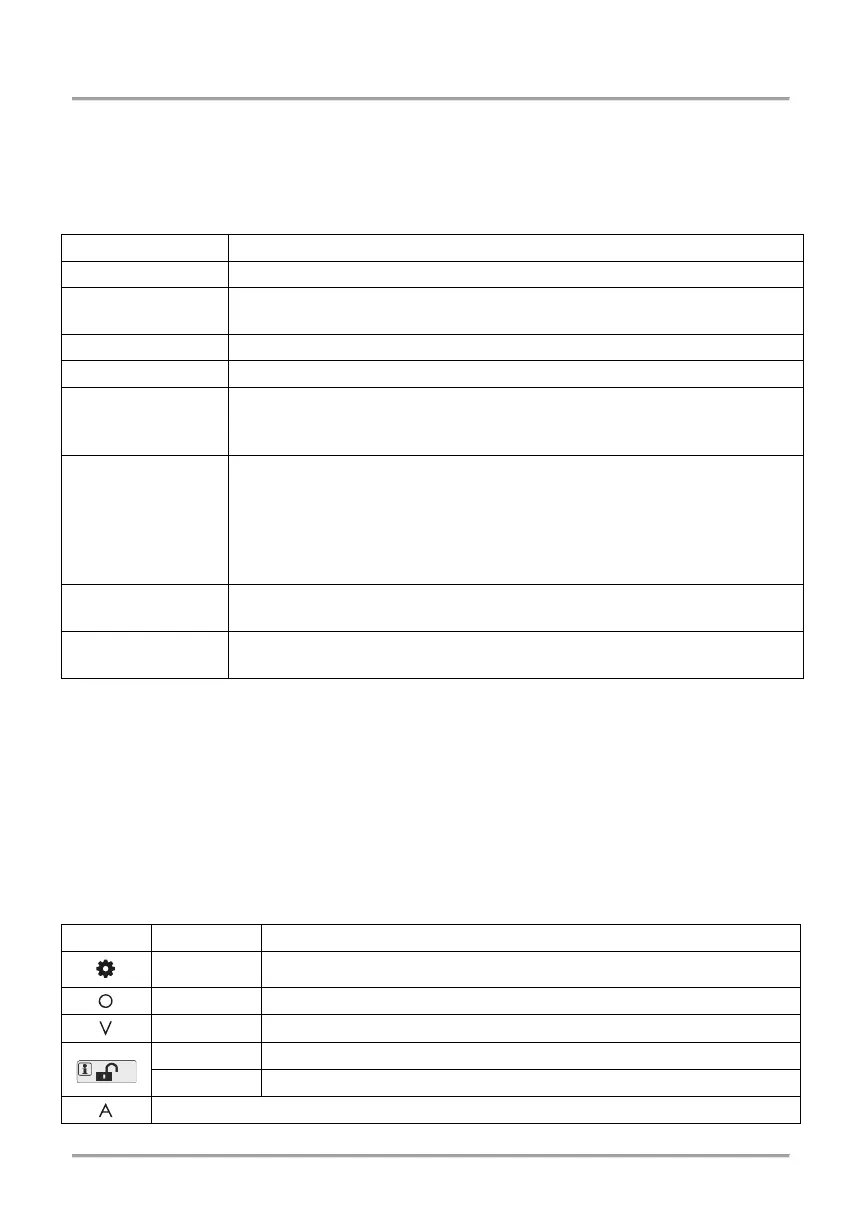
2.6.1 Special indication used in LED 8 and LED 16A keyboards
Red The system is in manager or user programming mode.
[O] is short from OPERATION – in programming mode.
[V] is short from VALUE – in programming mode.
The system is disarmed; normal operation mode.
The system is armed or the system is not ready to be armed.
Not used in manager and user programming menus.
















 To Next Page