LCD62 Keypad User Manual 25
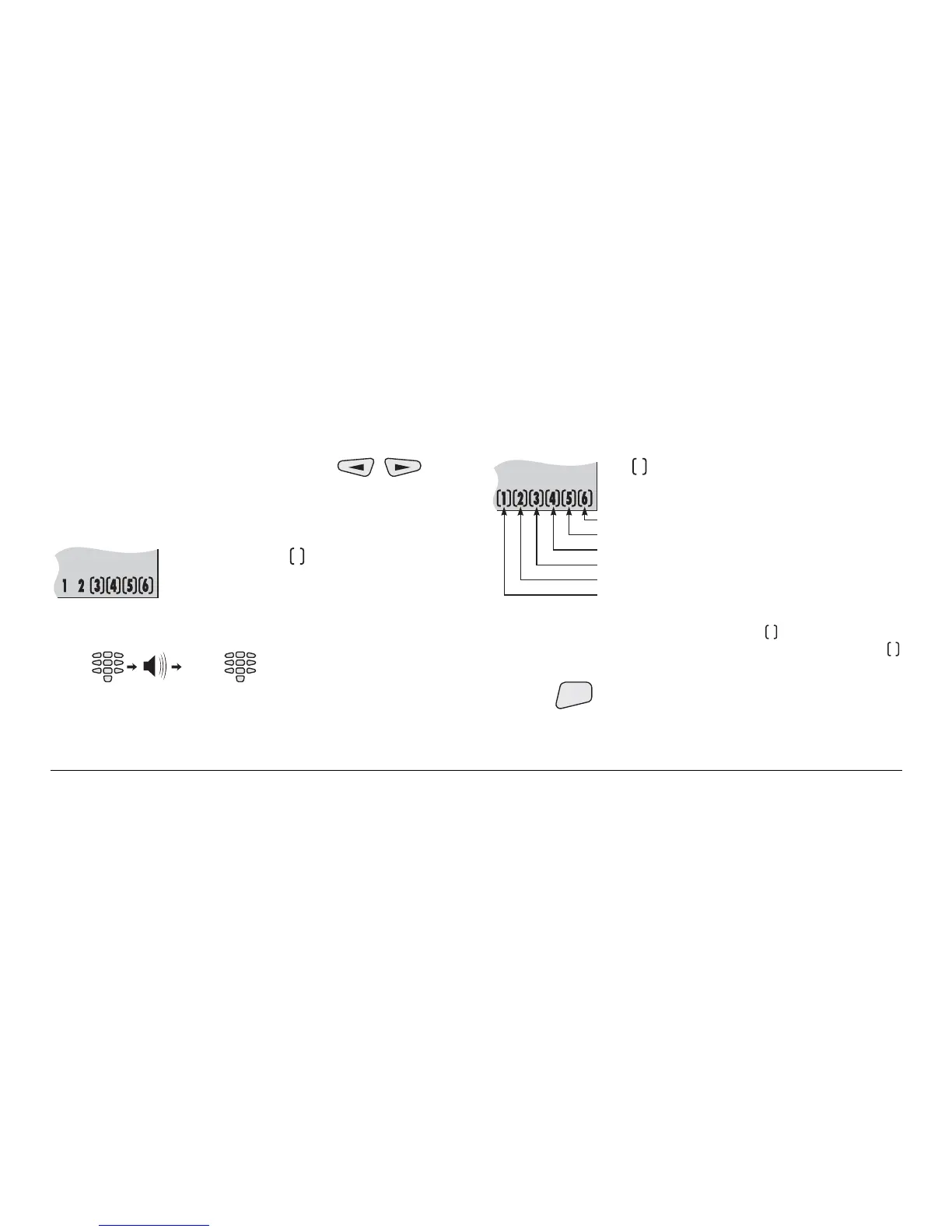
Now the manager can switch using the keys
between code changing mode and user permissions mode.
Initially the system is in code changing mode.
LCD displays:
The number of the symbols surrounding
the figures indicate the number of the code
digits left to enter
The manager is expected to enter a new code.
Entering a new user code key sequence:
NEW
CODE
(2 beeps)(4 digits) (once again)
NEW
CODE
The new code is accepted and the system automatically goes
into the user permissions mode.
Bypass
Review events memory
Force arm
Stay arm
Full arm
Disarm
The symbol surrounding a number
indicates the user is allowed to execure the
respective operation.
Pressing a numeric key permits the respective operation. The
operation number is surrounded by the
symbol. Pressing
the same key once again forbids the operation. The
symbol is removed.
Pressing
ENT
confirms the selection.



 To Next Page