12
14.2 Menu for Enable/Disable of Buzzer
In the menu the installer can perform Enabling/Disabling of the operation of the built-in buzzer in
Natron fire alarm detectors – TD, SD and MD. The buzzer is used for finding the physical place of
installation of a detector, and is activated in case of fire alarm event together with the other
sounders in the system.
Attention! The setting of this menu does not affect on the signalization in finding device
procedure.
To perform enabling/disabling of the buzzer, from the main menu scroll to 4. DEVICE SETUP and
select a detector number with the arrow buttons. Press ENTER. Select menu 2. BUZZER and
press ENTER button. There two setting, as the currently set is displayed on the screen. The
setting is changed with pressing up/down arrow buttons.
- DISABLED – set by default. The built-in buzzer is disabled and will stay silent in case
of fire alarm event in the system.
- ENABLED. The built-in buzzer is enabled and will sound in case of fire alarm event in
the system. Note: When the operation of the built-in buzzer is enabled, the battery life of the fire
detectors will be shorter - ~6 years.
Confirm the setting with ENTER button – the exit of the menu is automatic.
14.3 Menu for Setting the Tone Type
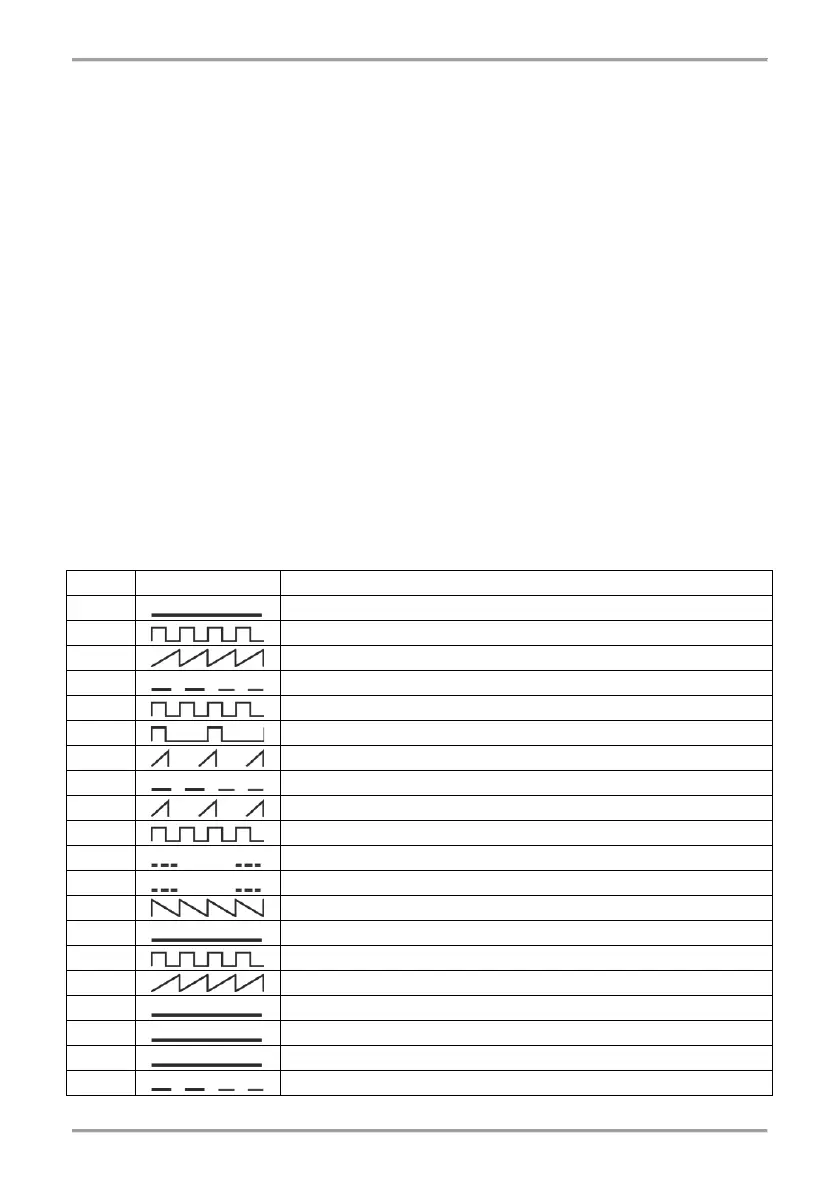
The menu is available only for Natron sounders. In the menu the installer sets the tone type of the
sounder (1-32). The main tone type is 27.
To set the tone type, from the main menu scroll to 4. DEVICE SETUP and select a sounder
number with the arrow buttons. Press ENTER. Select menu 2. TONE and press ENTER button.
Use the up/down arrow buttons to select a number, according the table:



 To Next Page