Power LED 8 ON when AC is
normal, OFF and STC LED 2
flashes 1 time when AC is low.
Compatible Alarm Panels
Any UL/ULC/cUL Listed alarm panel that supports one of the following formats is compatible and
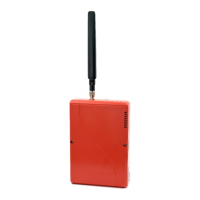
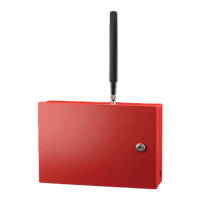
may be used with the TG-7FE:
• Pulse Formats:
o 3+1 pulse; 10pps, Double Round, 1400 Hz ack
o 3+1 pulse; 20pps, Double Round, 2300 Hz ack
o 3+1 pulse; 40pps, Double Round, 2300 Hz ack
o 4+2 pulse; 20pps, Double Round, 1400 Hz ack
o 4+2 pulse; 20pps, Double Round, 2300 Hz ack
o 4+2 pulse; 40pps, Double Round, 2300 Hz ack
• Contact ID
• Modem IIe/IIIa
2
/4
• SIA2 (SIA-DC-03 level 2 release at 300 baud)
• Sonitrol
• DMP
The installer should verify compatibility at the time of installation.
Hexadecimal account numbers can be used with 3+1 or 4+2 formats, as well as Contact ID and Modem (4
or 10 digits for Contact ID, 4 digits for Modem).
UL Compliance Note: While TG-7 Cellular Series communicators support the above formats, some formats
may not meet the requirements for fire systems set in UL 864. Contact ID and SIA2 are the only formats
identified as complying beginning with UL 864 10
th
Edition. If in doubt, check with your AHJ.



 To Next Page