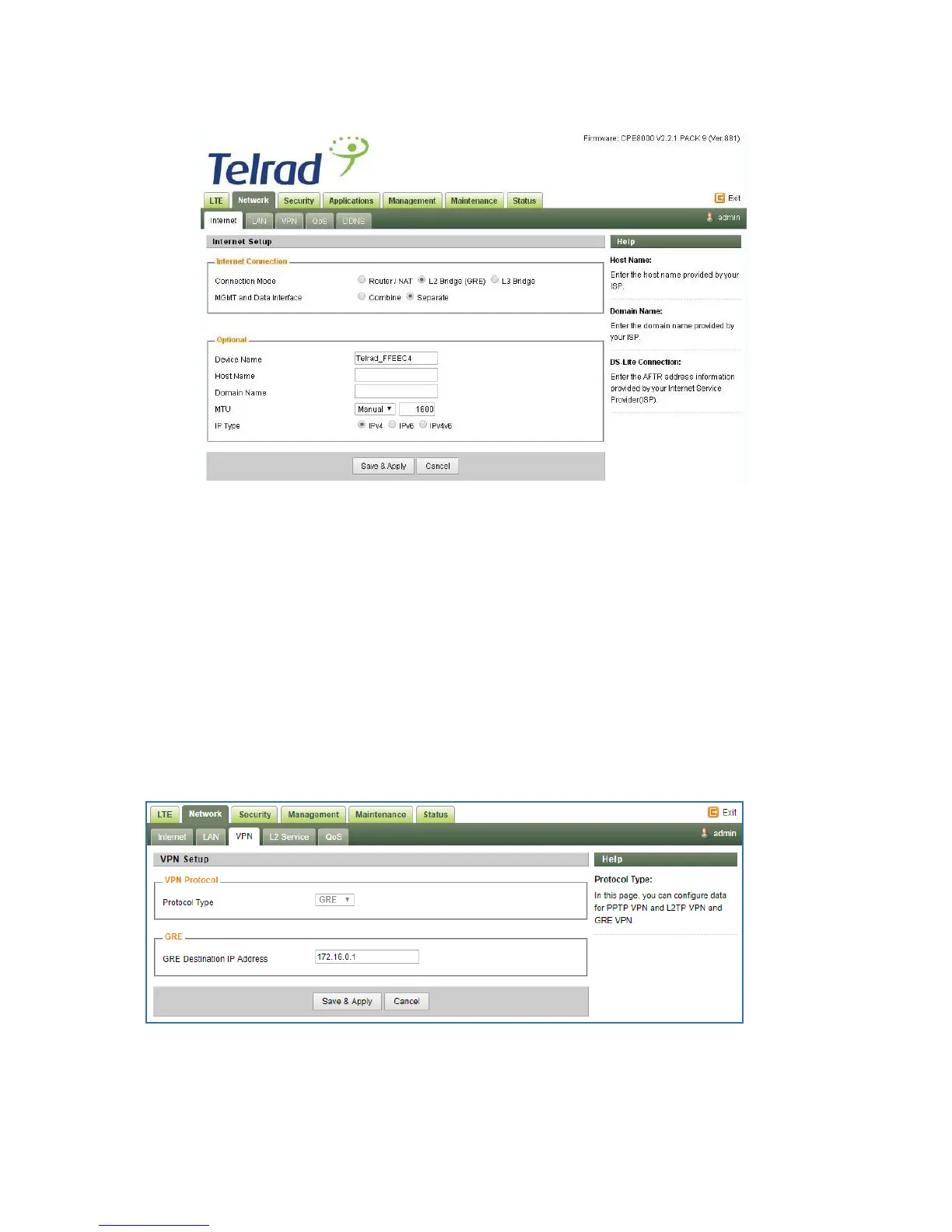
When setting the CPE into the "L2 bridge" mode, verify that TSDF flow endpoint is configured
correctly – i.e. matching the BreezeWAY EPC virtual IP ("TSDF L2 end point IP Address"
value).
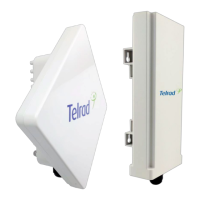
This should be configured in Network/ VPN tab. Verify that "GRE Destination IP address" is
matching the BreezeWAY EPC parameter "TSDF L2 end point IP Address" in Networking/
Virtual Network EPC menu.
VPN Setting Under L2 Bridge Mode
Under the L2 Bridge connection mode, only L2 GRE can be configured as follows.
L2 Service Under L2 Bridge Mode
Under the L2 Bridge connection mode, the user can use L2 Service configuration to manage
and tag 802.1p or DSCP for different VLAN packets.



 To Next Page