3G Closure:
Check if your Telstra
GO Repeater is congured
to boost 4G signal
Telstra GO Repeaters
(GO G31, GO G41, GO ROAM
R41) operate on both 3G˜
and 4G and will not be
impacted when 3G˜closes
from 28 October 2024.˜
However, in some instances they may have˜
been congured to only operate on 3G.˜
We encourage you to check your GO
Repeater settings, using a smartphone with
the Cel-Fi WAVE app installed to see if its
correctly congured to boost 4G signals.
Download the Cel-Fi
WAVE app available from
the Google Play Store or
Apple App Store on your
smartphone.
Open the WAVE app on your
smartphone and ensure you are in close
proximity to your GO Repeater to allow
it to connect through Bluetooth.˜
Follow instructions to:˜
• Check your GO Repeater in the
Cel-Fi WAVE app using a
smartphone.
• Tap on Settings > Band/Channel
Settings > expand the 4G selection
and ensure that each Band is toggled
on (indicated as blue).
Congratulations your GO
Repeater will now be
congured to boost 4G signals.
1 2
3
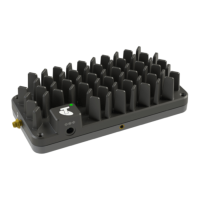
Telstra GO (G31)
Repeater
Telstra GO G41
Stationary Repeater
Telstra GO ROAM R41
Mobile Repeater
Instructions to check your GO Repeater settings can boost 4G signals:

 Need help?










 To Next Page
 General