
 Need help?
Do you have a question about the Telstra MF821 and is the answer not in the manual?
Details the minimum hardware and software requirements for the USB modem, including OS compatibility and resource needs.
Step-by-step instructions for opening the modem, inserting the USIM card, and optionally a microSD card.
Guidance on inserting the USB modem into the computer and the automatic software installation process.
Instructions on launching the software interface and using the 'Connect Now' button to establish an internet connection.
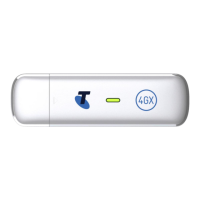
Identifies key physical components of the USB modem, including the USB connector, LED status indicator, and antenna ports.
Details on connecting, disconnecting, managing sessions, and resuming the application from the taskbar.
Information on using microSD cards for storage, supported formats, and safe removal procedures.
Guidance on using external antennas, specifying the TS9 connector type and proper connection methods.
Provides solutions for common problems such as interface not starting, no signal, data connection failure, and card read errors.
Information on accessing system help and frequently asked questions for further assistance.
Instructions for uninstalling the Telstra Mobile Broadband Manager application on both PC and MAC systems.
General safety guidelines regarding electromagnetic interference, medical devices, hazardous areas, and device handling.
Details on RF safety, radio frequency energy, SAR compliance, and RoHS hazardous substances declaration.
Lists key technical details including network compatibility, dimensions, data rates, voltage, and operating systems.
 Data Rates
| LTE Downlink typical speed | 40Mb/s |
|---|---|
| LTE Uplink typical speed | 10Mb/s |
| HSPA+ Downlink speed | 42Mb/s |
 Power
Power| voltage | 5V |
|---|---|
| resting current | 100mA rms |
| maximum current | 700mA rms |
Operating Environment| operating temperature range | -5ºC to +45ºC |
|---|
 Weight and Dimensions
| dimensions | 87.3 x 29.5 x 14mm |
|---|---|
| weight | 47g |












 To Next Page