Telstra MF821 User Manual v1.0 Page 4 of 22
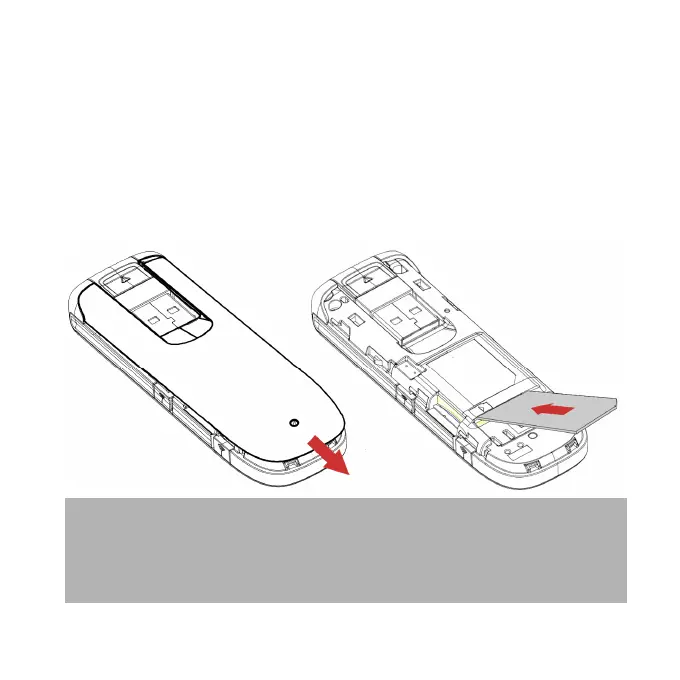
INSERT YOUR SIM CARD
1. Slide the top cover to access the SIM and memory slots.
2. Insert your USIM card carefully as shown.
3. If you want to add a memory card you can do it now. Your
USB modem supports up to 32GB microSD™ memory.
4. Close the back cover.
Handy hint
Remember to keep your plastic SIM card holder. It has a
record of your phone number and a PIN number which you
may need later.













 To Next Page