19
A CLOSER LOOK
AT THE TABLET
BASIC NAVIGATION
Screen Scrolling:
Scroll between screens by dragging your finger across the screen.
Scrolling Web Pages or other applications:
To scroll web pages or other applications drag your finger up to scroll down or drag
down to scroll up.
Pinch Zoom In and Out:
The T-Hub
®
2 Tablet allows you to zoom in and zoom out of web pages and photos.
To do this, pinch two fingers together to zoom out. To zoom in, reverse the action.
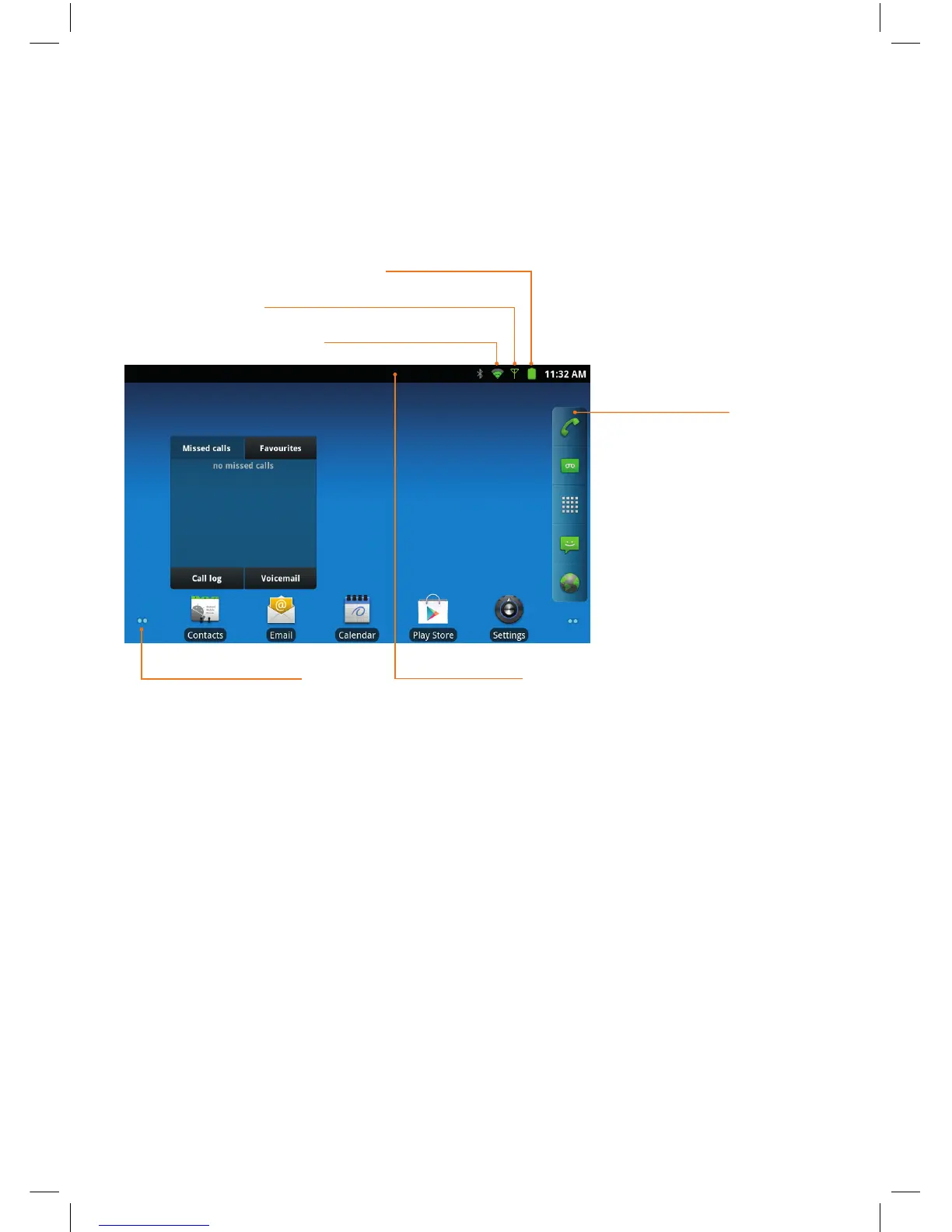
Notification barScreen location icon
Wi-Fi signal strength
Base Station signal strength
Battery level
Quick launch bar


 To Next Page