21
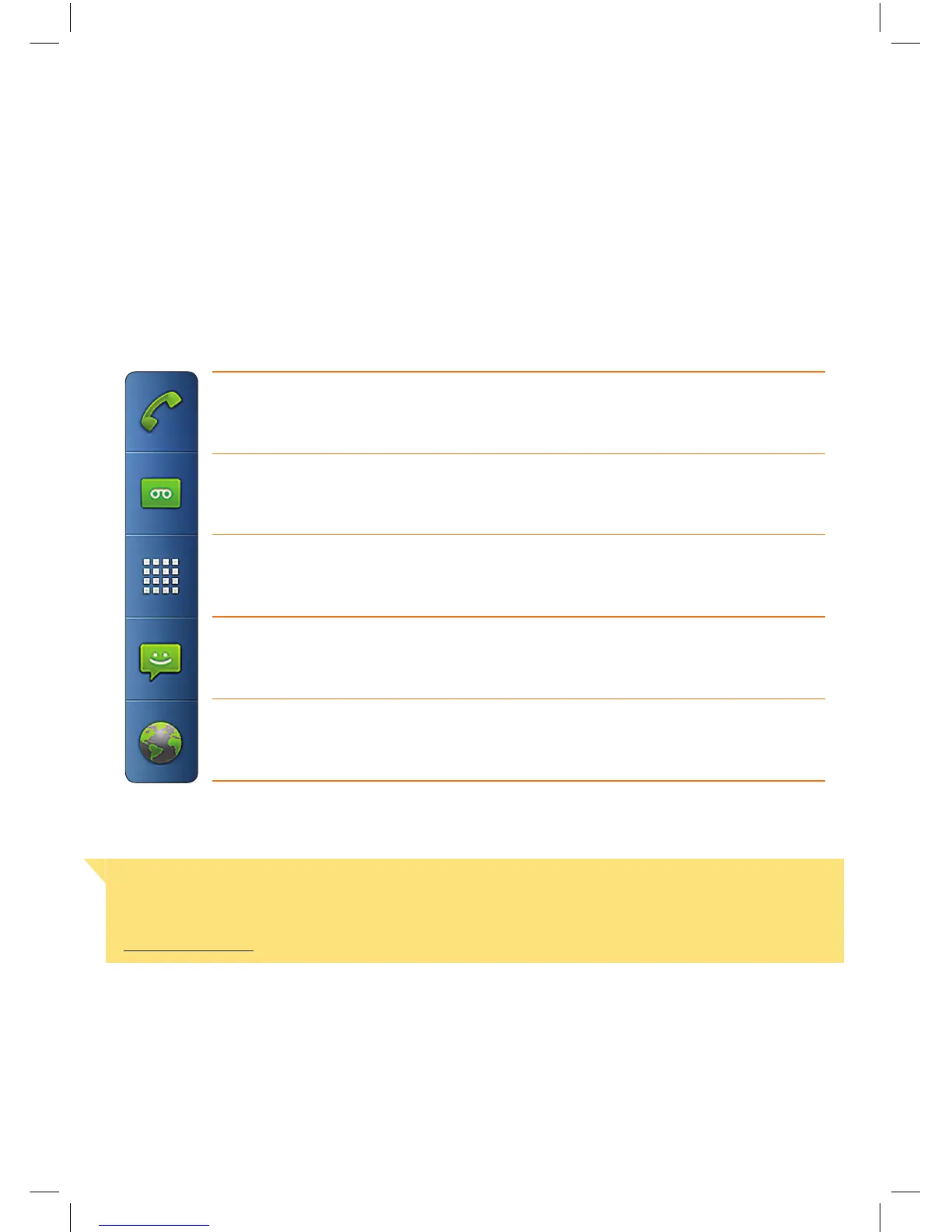
QUICK LAUNCH BAR
Use the Quick Launch bar for easy access to functions outlined below. Refer to the following
pages for more information on Quick Launch Applications.
Phone
Takes you to the phone application so that you can
make a call, view your call log and more.
Voice Mail
Access your voice messages.
Applications
Menu
Access a wide range of applications that may
not be on your tablet screens.
SMS
Compose and send your SMS messages.
Web Browser
Browse the Internet.
Important Note
If you connect your tablet to a T-Gateway™ the SMS icon will not appear in the Quick Launch
Bar. For more information on SMS usage with a T-Gateway™ refer to the FAQ available at
telstra.com/thub


 To Next Page