Applications
Menu
Access a wide range of applications that may
not be on your tablet screens.
SMS
Compose and send your SMS messages.
Web Browser
Browse the Internet.
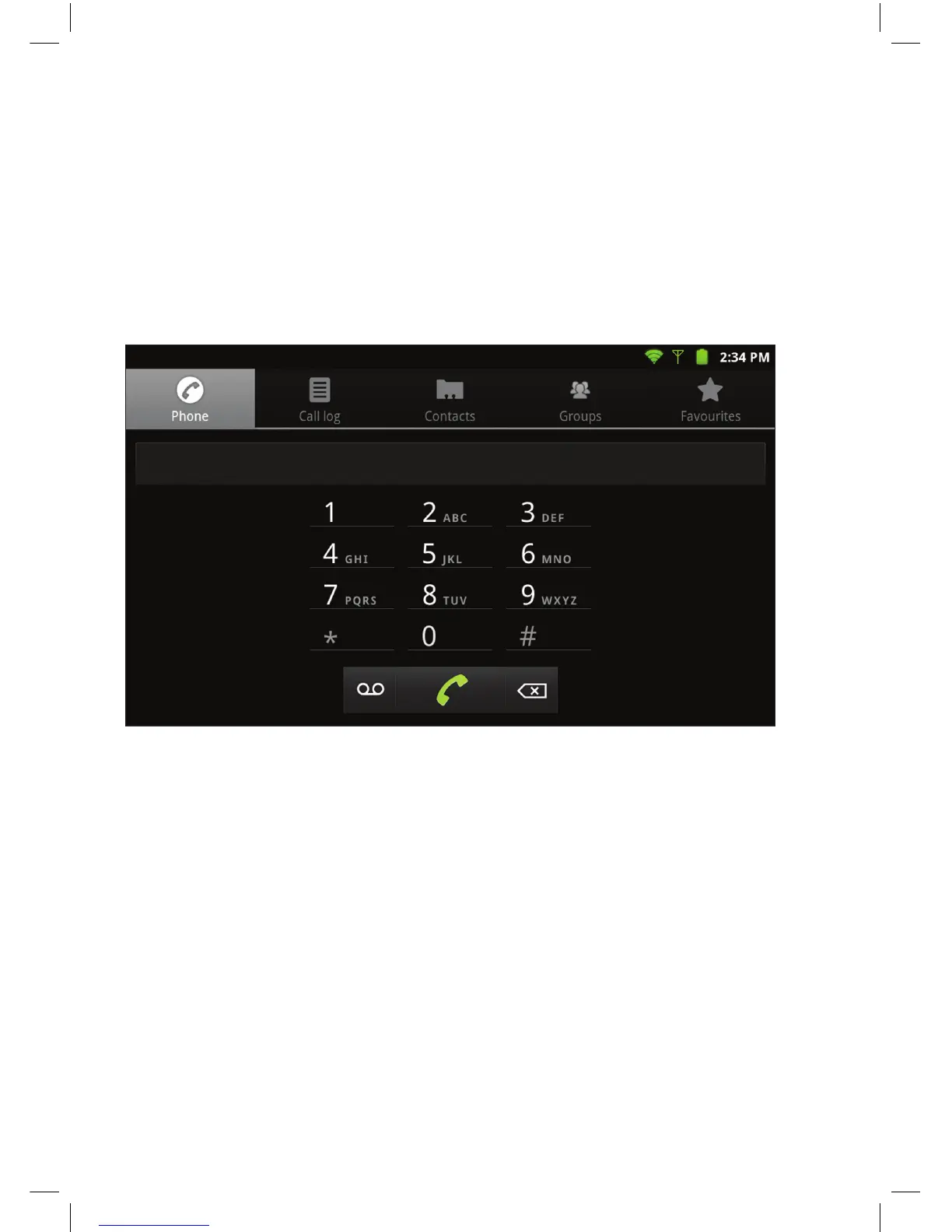
• Use the tabs along the top of the screen to access Call log, Contacts, Groups
and Favourites.
• You can also access Contacts by selecting the Contacts Application from the
Home screen.
• You can Add and Edit by selecting the Menu button on the right hand side
of the Tablet.
Making Calls
• Use the on-screen keypad to dial number or select from contact list.
• Use the delete button to clear.
• Press the Phone icon to make call.
• You can redial by pressing the call button twice.
USING THE PHONE ON YOUR TABLET
Select the phone icon to make a call, access call log and contacts.


 To Next Page