YOUR
T-HUB
®
2
On your T-Hub
®
2 Tablet you can make calls and
browse the internet wirelessly.
TABLET
6 7 8
1
2
3
4
5
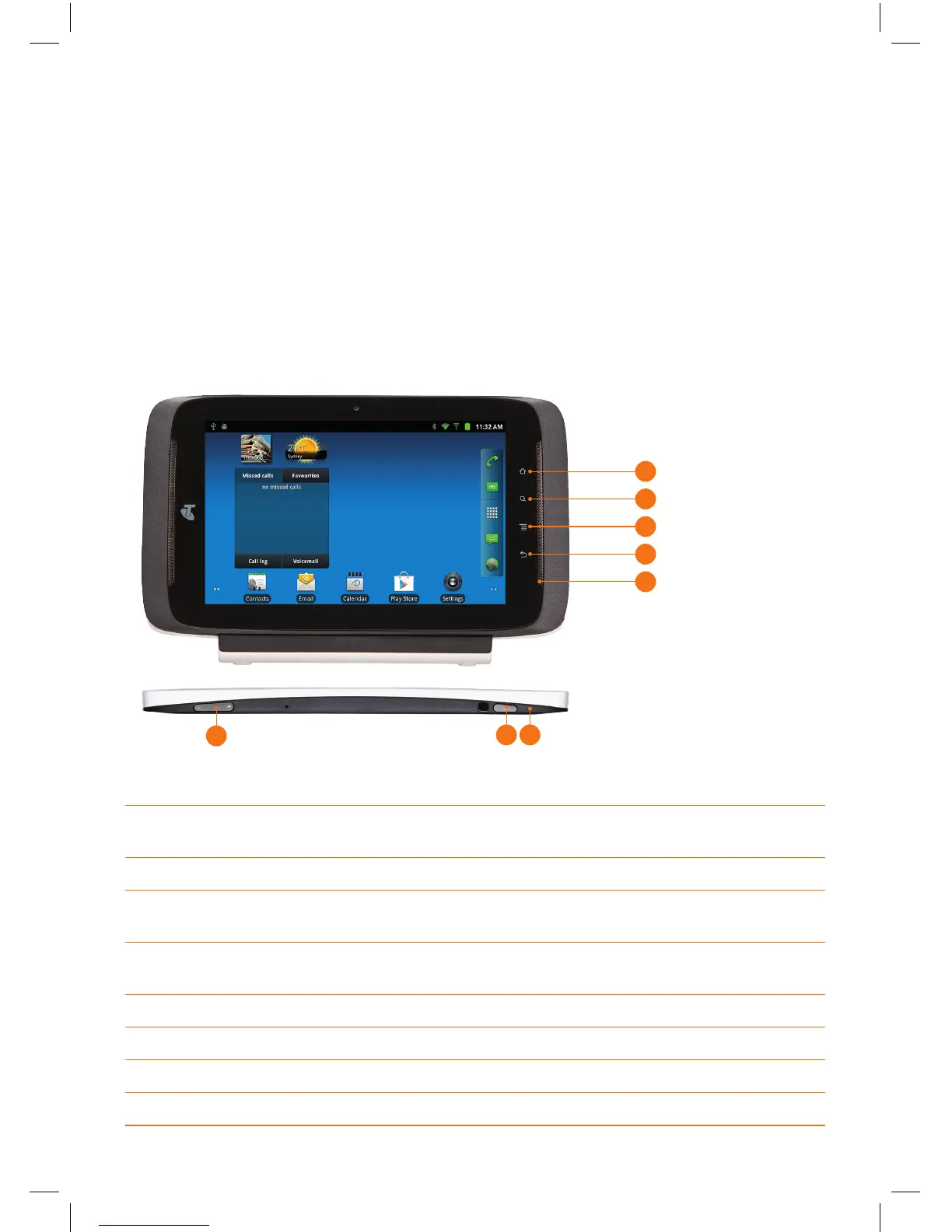
1 Home Button - This button will return you to the Home Screen when
pressed regardless of what application is running.
2 Search Button - When pressed, the web search feature will appear.
3 Menu Button - Will bring up a menu with additional options relevant
to the screen you are on.
4 Back Button - Use this button to take you back to the previous screen,
action or webpage you were viewing.
5 Tablet Speakers
6 Volume Control - Press to increase or decrease audio volume.
7 Power Button - Press this to turn the Tablet On or Off.
8 LED Indicator
5


 To Next Page