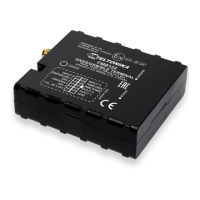
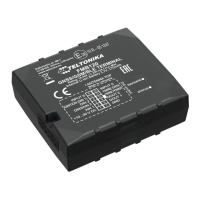
Pinout
PIN NUMBER PIN NAME DESCRIPTION
1
VCC (6-30)V DC (+)
Power supply (6-30) V DC (+).
2
GND (-)
Ground.
3
DIN 1
Digital input, channel 1. DEDICATED FOR IGNITION INPUT
4
AIN 1
Analog input, channel 1. Input range: 0-30 V DC.
5
DOUT 1
Digital output. Open collector output. Max. 3,3 A DC.
PC Connection (Windows)
Power-up FMB910 with DC voltage (10 – 30 V) power supply using supplied power cable.1.
LED’s should start blinking, see “LED behaviour description”.
Connect device to computer using Micro-USB cable2.
You will need to install USB drivers, see "How to install USB drivers (Windows)"
You are now ready to use the device on your computer.3.
How to install USB drivers (Windows)
Please download COM port drivers from here.1.
Extract and run TeltonikaCOMDriver.exe.2.
Click Next in driver installation window.3.
In the following window click Install button.4.
Setup will continue installing the driver and eventually the confirmation window will appear.5.
Click Finish to complete the setup.
Configuration (Windows)
At first FMB910 device will have default factory settings set. These settings should be changed
according to the user's needs.
Main configuration can be performed via Teltonika Configurator software. Get the latest FMB910
Configurator version from here. Configurator operates on Microsoft Windows OS and uses
prerequisite MS .NET Framework. Make sure you have the correct version installed.
MS .NET requirements
Operatin
g system
MS .NET
Framework version
Version Link
•
Windows
Vista
•
Windows
7
•
Windows
8.1
•
Windows
10
MS .NET
Framework 5.0
32 and
64 bit
.NET
Fram
ewor
k


 To Next Page