1
Table of content
What’s in the Box ....................................................... 1
Technical Support Information .................................... 1
telyHD Pro Overview ................................................... 2
Installation ................................................................... 3-4
Adjusting the TV Clamp
Plugging in your telyHD Pro
Getting Started ............................................................ 4
SIP Calling with telyHD Pro ......................................... 5
Con guration
Making a SIP Call
Blue Jeans Meetings with telyHD Pro ......................... 6
Using telyCloud with telyHD Pro ................................. 6
Using telyShare with telyHD Pro ................................ 7
Requirements
Installation
Sharing your desktop
Sharing Options
Sharing Images
Settings
Install Mirror Driver
Manage telyHD Pro from your PC
Virtual Mouse and Keyboard
Using Skype with telyHD Pro ..................................... 7-8
Making a Skype point to point call
Adding a contact
The Menu Bar
Additional Features Available with telyHD Pro ........... 8
Support for External USB Audio
SmartRemote
Support for USB Keyboard and Mouse
Web Browser
telyProjector
Safety ......................................................................... 9
System Requirements ................................................. 10
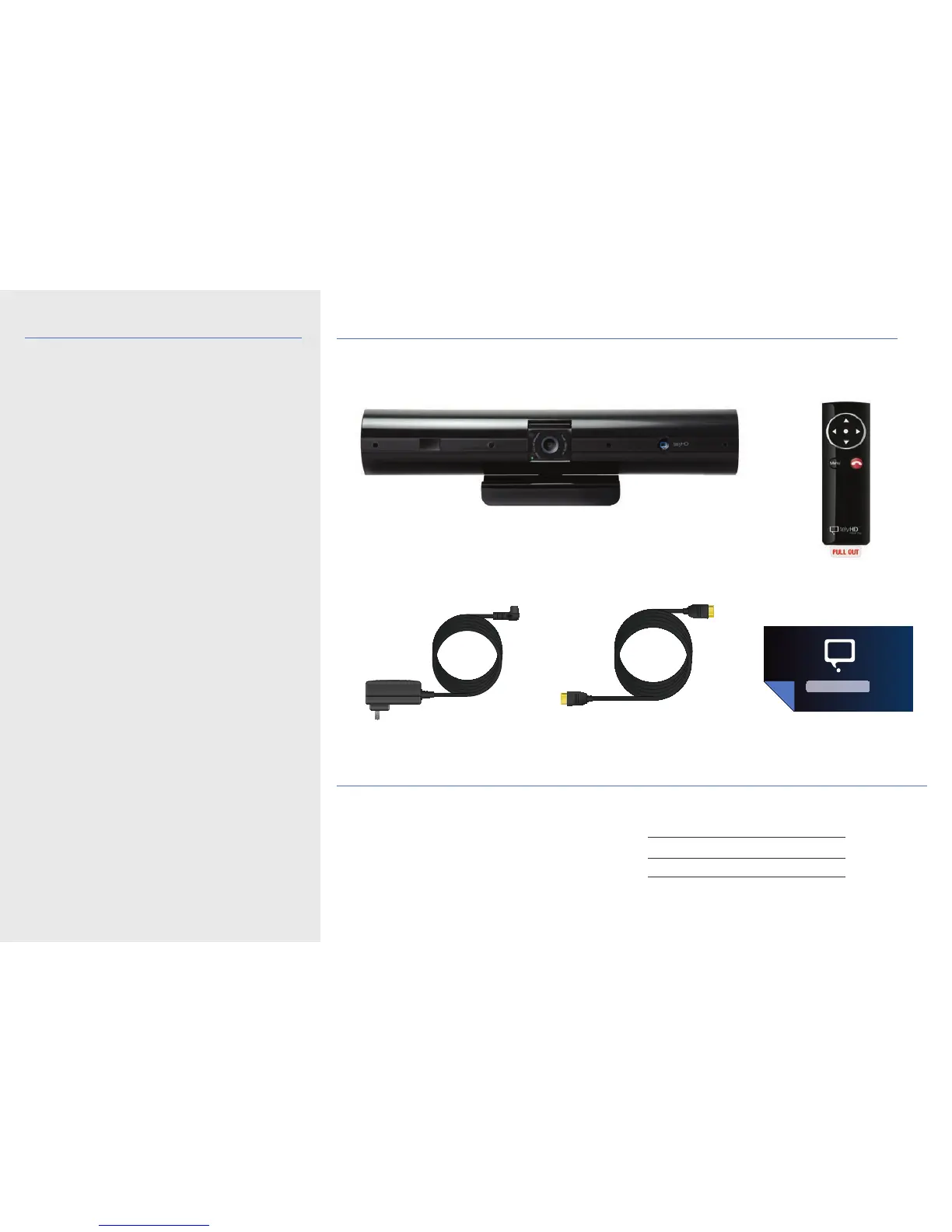
What’s in the box
Technical Support Information
For helpful tips and how-to videos, visit our web site
tely.com/support
Technical Support – live agent
You can also reach us directly
Monday through Friday, 8am to 5pm Paci c time.
Email support@tely.com
Toll free 1 (888) 787-TELY (8359)
Direct 1 (650) 318-6866
Chat tely.com/support
telyHD Pro appliance
Remote control
(battery included)
Activation Card
Power adapter HDMI cable
3FHE090


 To Next Page