5
SIP Calling with telyHD Pro
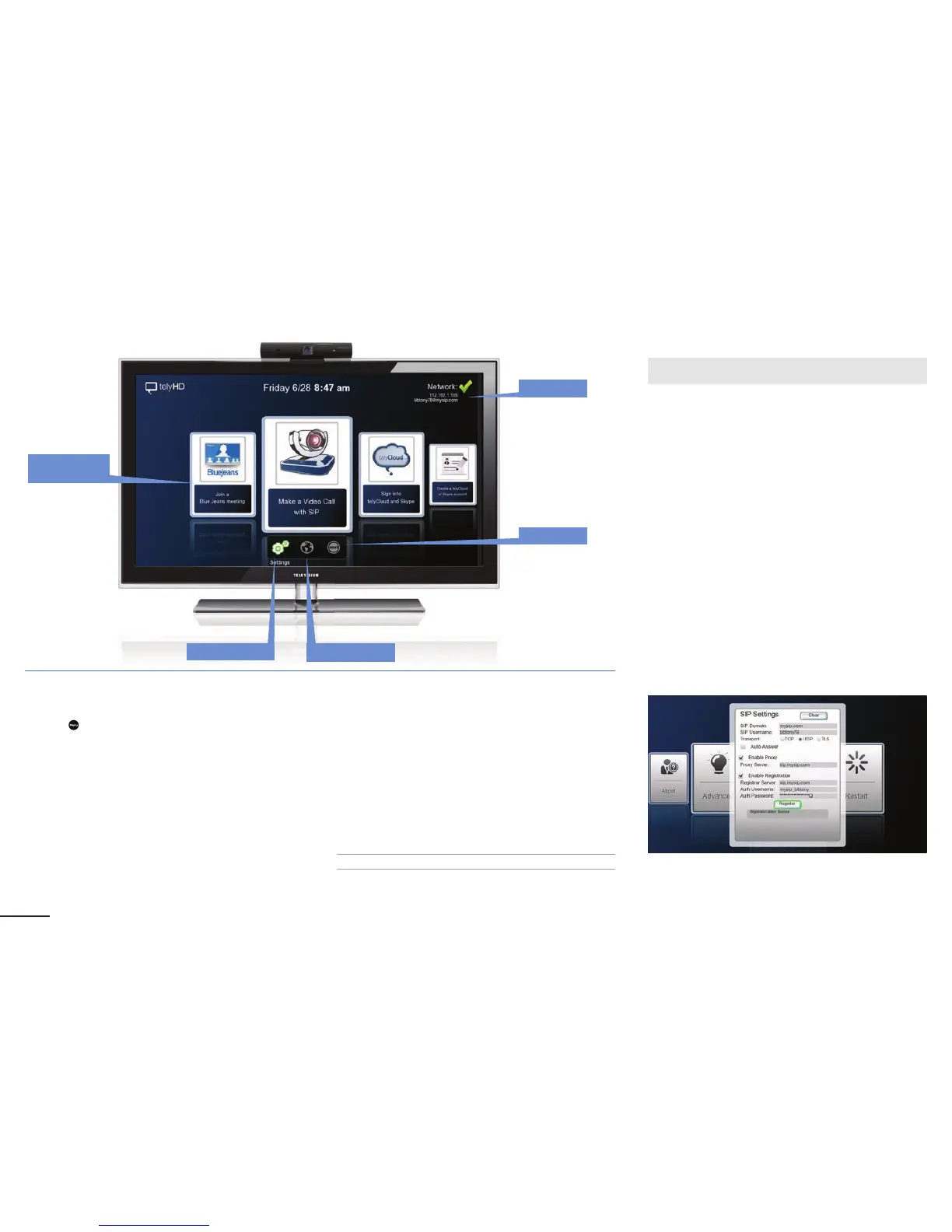
SIP (Session Initiation Protocol) Settings
Press the
Menu button on the remote and go to
Settings > SIP Settings
The following are elds in the SIP Settings Card. Some of
these elds may not be required, depending on your speci c
SIP service. For questions, please contact your network
administrator.
SIP Domain
º
Enter domain for the SIP service. This is also
known as “realm.”
SIP Username
º
Enter username for the SIP server.
Transport
º
Select a transport type. If a certain transport type is
selected, it will be used exclusively going forward. The
transport type can be TCP, UDP, or TLS.
Enable Proxy
º
Enable or disable (default) proxy server.
Enable Registration
º
Register to a SIP registrar server and enter optional
authentication username or password.
Ensure that the following rewall ports are open:
SIP 5060-5061 TCP
For full list of necessary ports please refer to page 10.
Making a SIP Call with telyHD Pro
Note: Select the SIP Call card from the main screen.
Supported connections
• SIP account
• IP address
Contact List Fields/Features
Recents
º
Default view is “Recents” unless there are no recent calls,
in which case the view will default to “All Contacts”
º
“Recents” are sorted by timestamp
All Contacts
º
Default view if there are no contacts listed under “Recents”
º
Contacts are sorted alphabetically
Add New
º
Add new SIP contacts
º
By default, the Display Name will be the same as the SIP
Contact/Address
Edit a Contact
Main Screen
Nework
Reset
Settings Web browser
Calling Card
Carrousel


 To Next Page