4
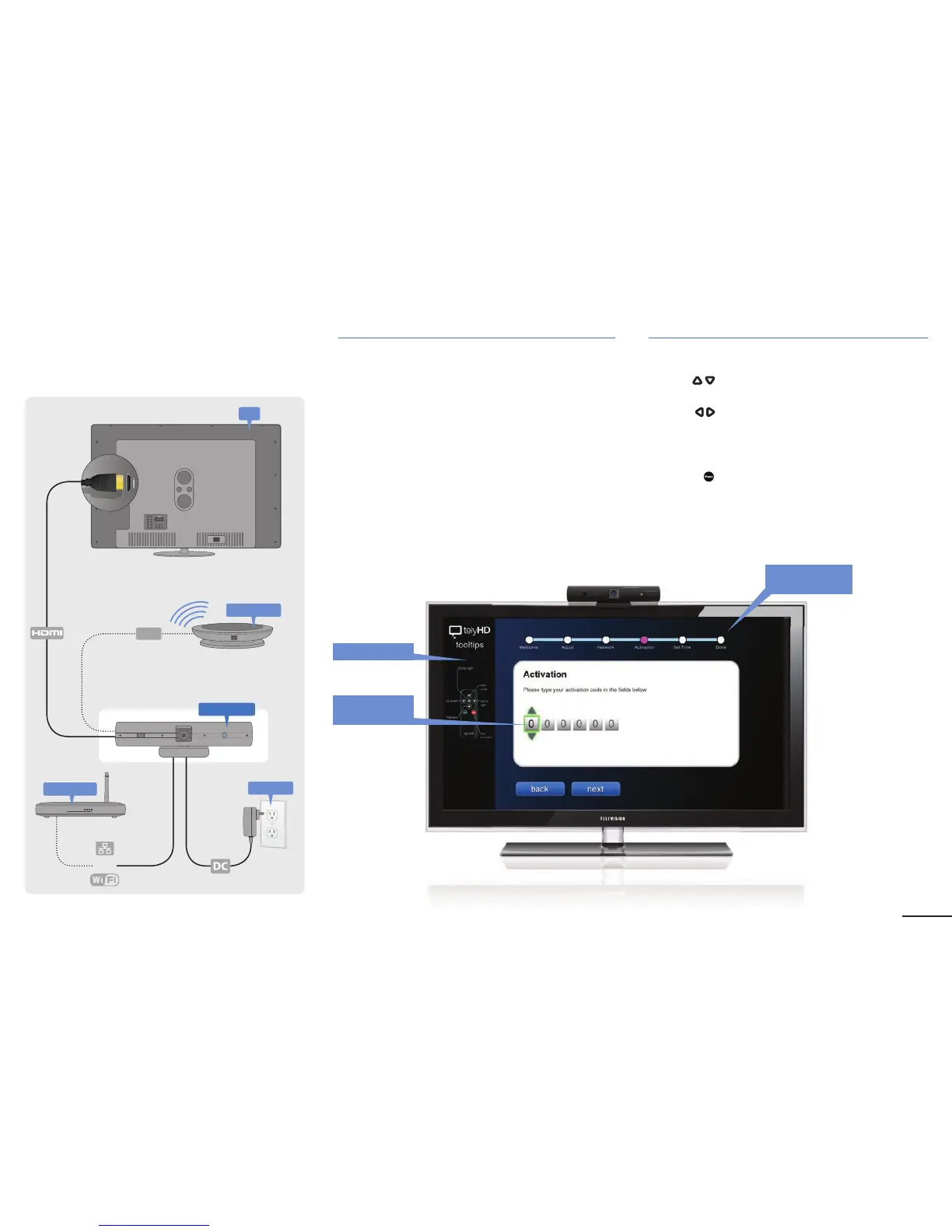
Plugging in your telyHD Pro
or
Power
Ethernet
TV
Getting Started
Initial Con guration
After the rst boot up, please follow the onscreen wizard
to complete the initial con guration.
Software Activation
Press the
UP/Down Arrow buttons on the remote
to change the input values
Press the
Left/Right Arrow buttons to move between
elds
Additional license keys can be applied after the
unit is fully con gured.
• Press the
Menu button on the remote and go to
Settings > Activations and enter your 6-digit activation
code included in the telyHD Pro package.
• Reboot telyHD Pro Appliance.
Main Screen
FPO
Tool Tips
Use arrows to
enter code
Wizard Step
Progression
USB


 To Next Page