Setting up Home Base
The Home Base is where temi goes to charge its battery.
The Home Base is connected to the power outlet and contains a power adaptor.
It is also where you place temi to recover map and locations.
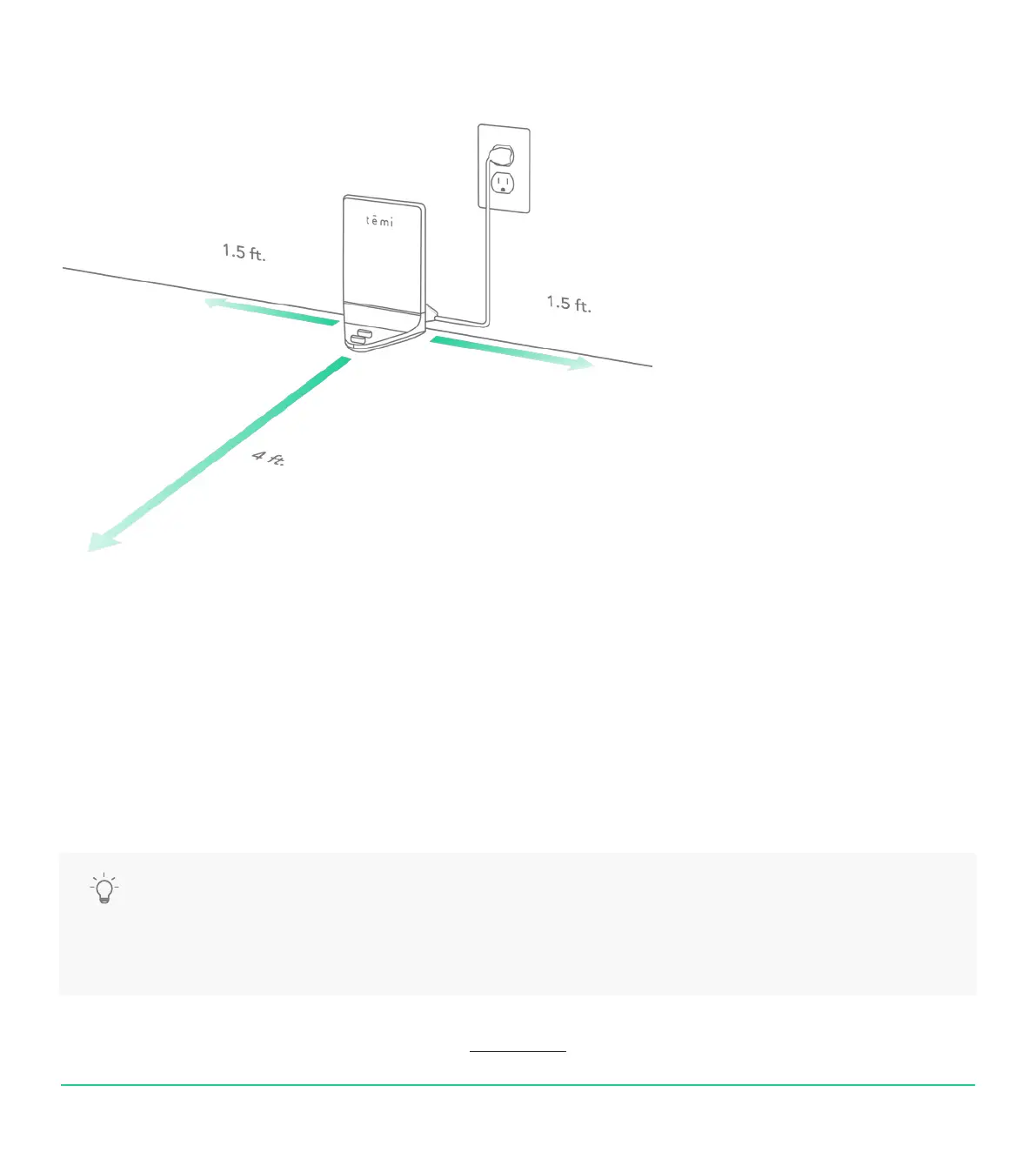
1. Place the Home Base in a location that can be easily accessed by temi.
2. Place the Home Base on a hard level surface, at against the wall.
3. Allow at least 1.5 feet of space on either side of the Home Base.
Keep at least 4 ft of clear space in front of the Home Base for temi to access easily.
TIP: • Be sure there are no highly reective materials nearby such as mirrors that could cause the docking
sensors to incorrectly guide temi.
• The home base generates temi’s map anchor. Any disconnecting or moving of the home base will
prompt a suggestion of map and location resetting.
USER MANUAL 05
Back to index


 To Next Page