Notications
Developer Tools
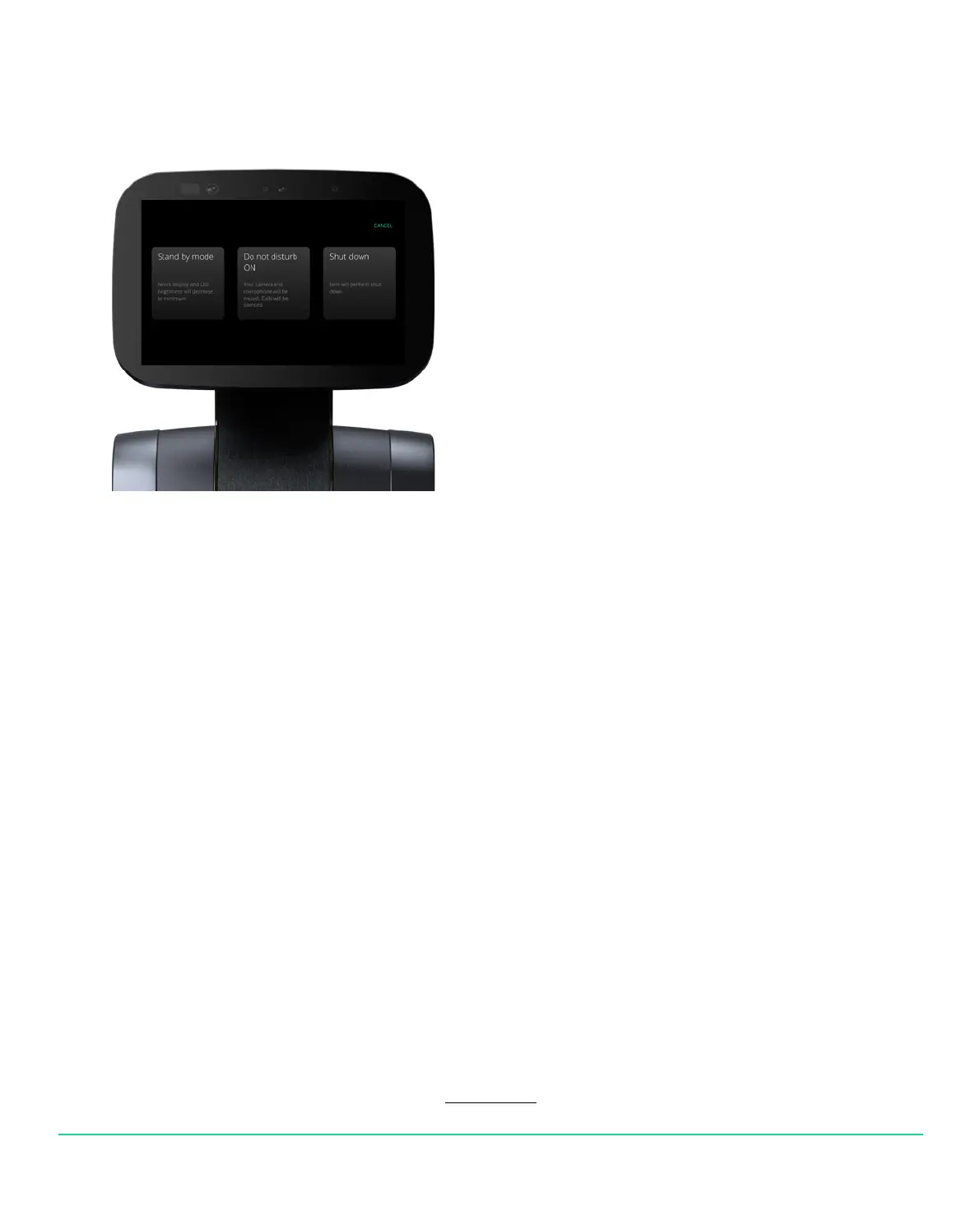
Shortly press and release the POWER BUTTON and 3 options will appear:
• Standby mode: temi’s display and LED brightness will decrease to a minimum
• Do not disturb ON: Your camera and micro-phone will be muted. Calls will be silenced.
• Shut down: temi will perform a shut down
We have relased our SDK for any 3rd party developer to develop applications for temi.
You can sign up to our developer program anytime using the link below:
https://www.robotemi.com/developers/
If you own a temi, go to Settings > Developer tools to nd:
• Temi’s WIFI IP Address on the top right corner of temi’s screen
• ADB Port Opening. Make sure you are on the same network as temi
• Local NLP. Customize your NLP intents. This feautre only works with “Hey temi” personal assistant.
• Find Mac Address in Settings > About
Enabling this will prioritize LOCAL NLP over temi NLP.
On the top right corner, you can add new NLP intents.
For any developer/ SDK related questions please email developers@robotemi.com
USER MANUAL 20
Back to index


 To Next Page