Notications
Top Bar
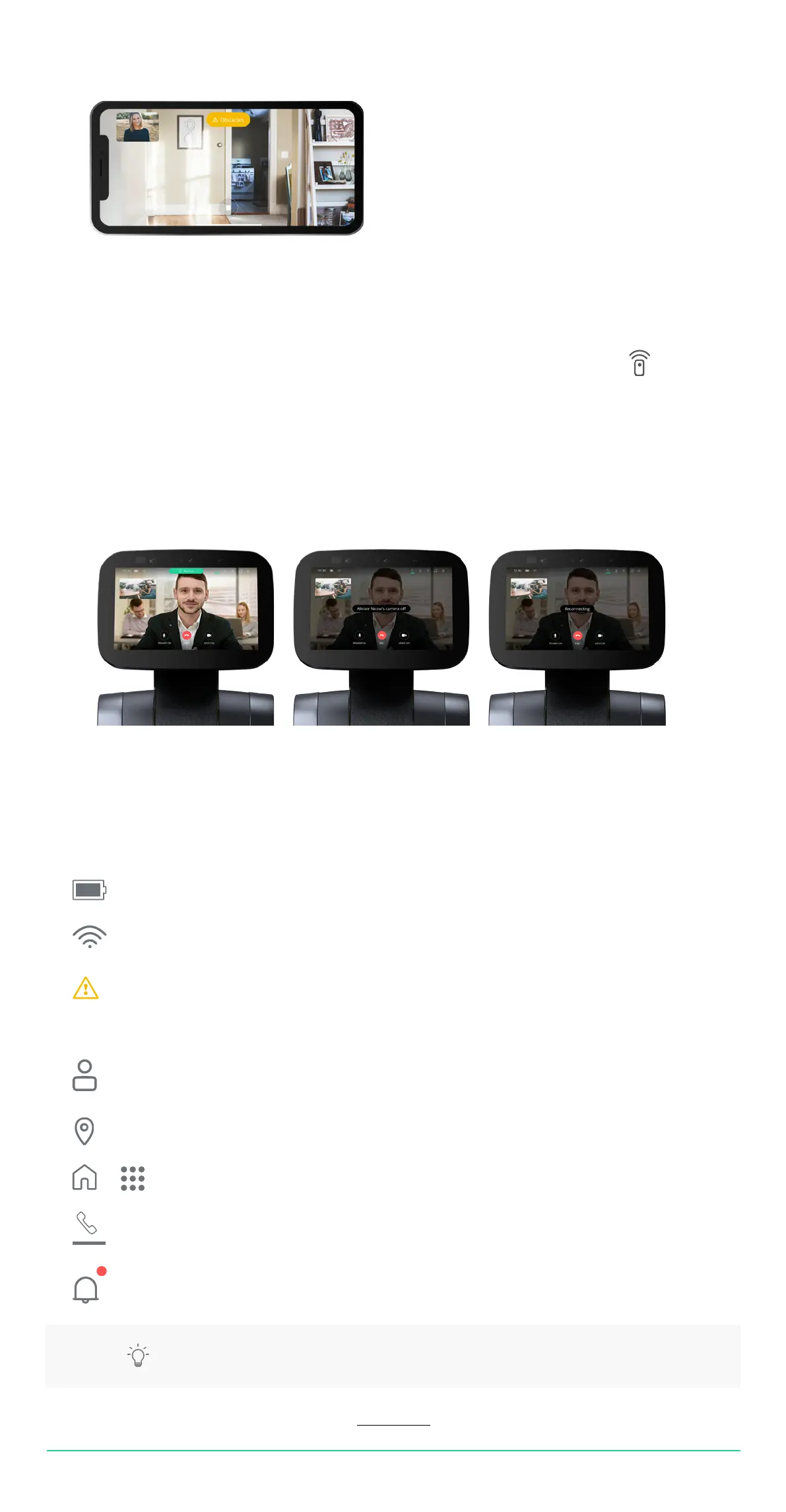
Obstacles
If a remote user tries to drive temi while it is not able to nd a path clear of obstacles,
an orange notication indicating “obstacles” will pop up.
Remote control
• During video call, when the remote user is in control of your temi, the top bar will display
remote (Image A).
Camera off
• During video call, when the remote user’s camera is turned off, a “camera off” notication will appear.
Reconnecting
• During video call, when trying to re-establish a lost connection, a “reconnecting” notifcation will appear.
Displays battery / charging statusBattery
WIFI
System Health
Contacts
Lcations
Home/Skil Screen
Video Call
Tabs
Status Icons
Displays signal strength and /or connectivity issues
Tap icon to access contact list and place video call
Tap icon to access location menu
Toggle between home screen and skill screen
Tap icon to access ongoing video call
Temi will alert the user on new updates and low battery aside from Alexa notications
When this notication appears you can tap it
to check on any current disabled functions
(See tip at the bottom of this page)
USER MANUAL 19
Back to index
TIP: When using Alexa’s voice assistant, the “Alexa notications” appear automatically.


 To Next Page