ENG
23
2. NAVIGATION IN REVERSE
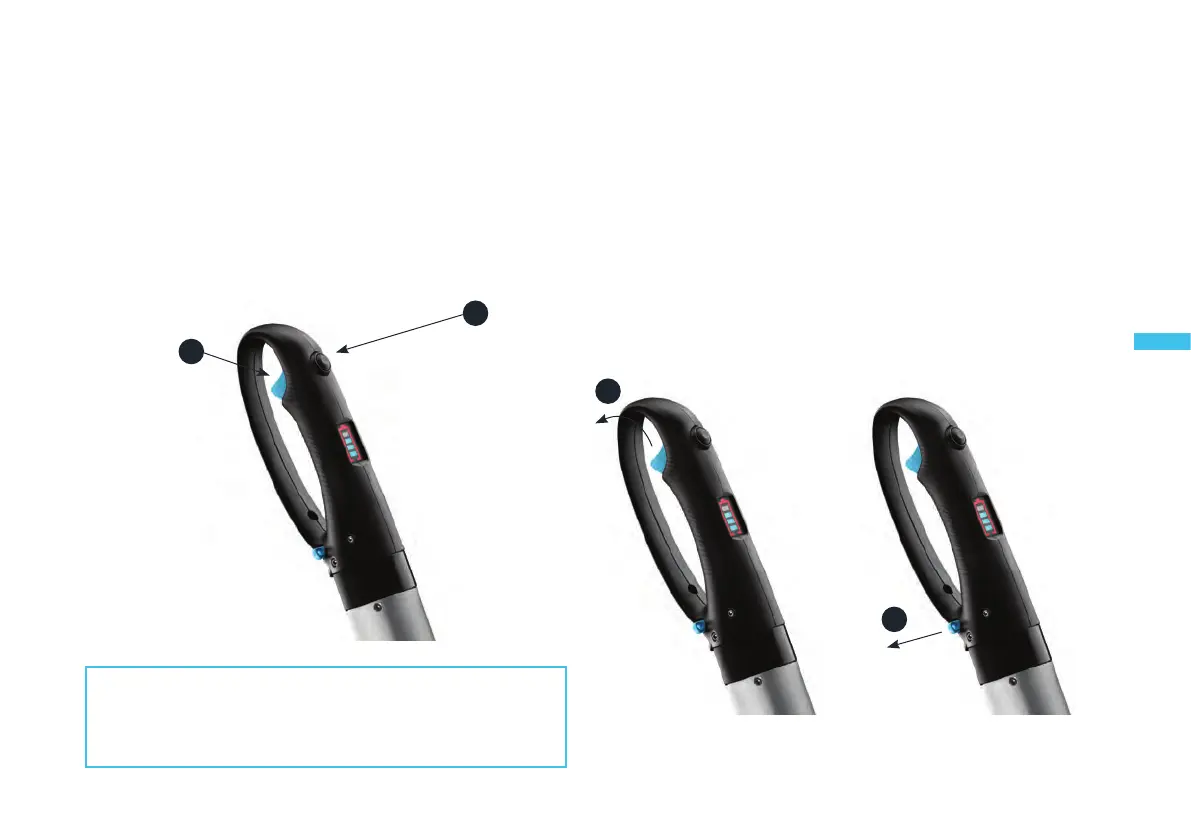
Tonavigateinreverse,pressthebuonlocatedabovethehandle,then
pull the trigger.
1. Pressthereversebuon.
2. Pullthetriggergradually.
3. SHUTDOWN
YoucanstoptheTEMO·450intwoways:
-“Normal” shutdown: releasethetriggerThemotorwillstopinstantly,
butitwillsllbepoweredforfutureuse.
-“Emergency” shutdown: removethemagneckey.Themotorstops
instantly,butisnolongerpowered.Torestartit,youwillhavetoreinsert
themagneckeyintoitsslot.
2
1
1
1
PRACTICAL INFORMATION:
Keep the reverse buon pressed down during the en-
re manoeuvre. If you release the buon, the TEMO·450
will switch back to forward gear.
1 - Release the trigger 1 - Remove the magnetic key
“Normal” shutdown “Emergency” shutdown


 To Next Page