6
INSTRUMENT SETUP
Vertical system setup
• Each channel CH1 or CH2 has it’s own vertical menu. Each channel should be set
up individually.
• Press CH1 or CH2 and the system will display the operation menu for that channel.
Channel coupling setup
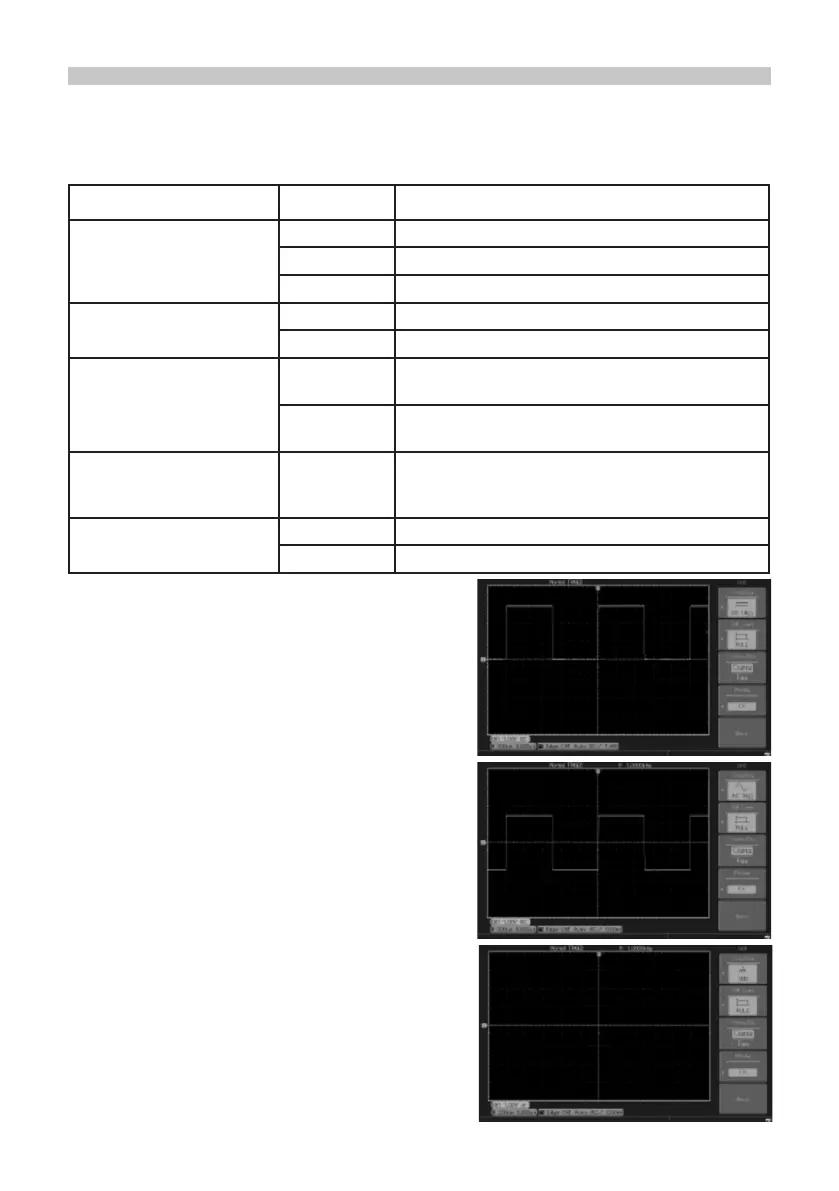
• If for example a signal is applied to CH1 which
has a sine signal that contains DC quantities.
• Press F1 to select AC and set up as AC
coupling. Any DC quantities in the signal are
now intercepted.
• Press F1 to select DC.
• Both AC and DC quantities of the signal being
measured can now pass through.
• The waveform displays both AC and DC
quantities of the signal.
• Press F1 to select GROUND.
Both AC and DC quantities of the signal being measured are now intercepted.
• The waveform is not displayed in this mode but the signal remains connected to the
channel circuit.
Functions Menu Setup Notes
Coupling
AC Intercepts the DC quantities of the input signal.
DC Pass AC and DC quantities of input signal
GROUND Disconnect input signal
Bandwidth Limit
On Limit bandwidth to 20MHz to reduce noise display.
Off Full bandwidth
Volts / DIV
Coarse tune
Coarse tune in steps of 1-2-5 to set up the
deection factor of the vertical system.
Fine tune
Fine tune is further tuning within the coarse tune
set up to improve the vertical resolution.
Probe
1X, 10X,
100X and
1000X
Select either value based on the probe attenuation
factor to keep the vertical deection factor reading
correct.
Invert
On Waveform invert function on.
Off Normal waveform display.



 To Next Page