Add dB
0 8 20 28 40
Battery test
• Connect the red lead to the (+) VA input.
• Connect the black lead to the (–) COM input.
• Select the proper range for the type of battery to be used.
• For “AAA”, “AA”, “C” and “D” type batteries, select the 1.5V range.
• For rectangular 9V batteries, select the 9V range.
• Connect the black lead to the negative terminal of the battery.
• Connect the red lead to the positive terminal of the battery.
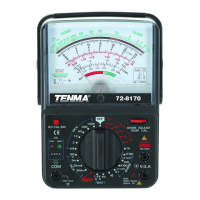
• The BAT scale at the bottom of the meter display will show GOOD, REPLACE or
Questionable status.
• Please note that this will only provide relative battery condition results. The actual
usefulness of a specific battery in a given application will depend upon the current
requirements of that application. This tester provides the following reference loads:
9V, 30mA 1.5V, 300mA
Transistor Type Check
• This meter will identify whether a given transistor is PNP or NPN.
• Insert the transistor into the correct socket inputs labeled Emitter, Base and Collector.
• Select the TR position on the Range Selector
• The red LED will indicate a PNP transistor, the green LED indicates NPN
Cleaning and General Maintenance
• Periodically wipe the case with a damp cloth and mild detergent. Do not use abrasives
or solvents.
• Periodically terminals and test probes standard spray contact cleaner as dirt and
moisture affect readings.
• Turn the Meter to OFF position when it is not in use and remove the batteries if the
meter is not to be used for a long period of time.
• Do not attempt to repair or service your Meter unless you are qualified to do so and
have the relevant calibration, performance test, and service information.
• To avoid electrical shock or damage to the Meter, do not allow water inside the case.
• Do not store the Meter in a place of high humidity or temperature
Battery Replacement
• When using the OHMS scale, if the meter cannot be calibrated to the Zero position,
the batteries should be replaced.
• Make certain the test leads are removed from the circuit under test and disconnected
from the meter.
• Remove the three Philips head screws from the rear of the meter housing
• Remove the rear housing from the meter assembly.
• Locate and replace the three batteries inside the meter (2x AA, plus 1x 9V).
• It is recommended that only good quality alkaline batteries be used.


 To Next Page