7
SPECIFICATIONS
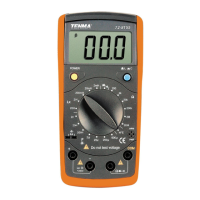
Function Range/description
AC Volts bandwidth 50Hz to 60Hz
Maximum input voltage 600V AC/DC
Diode test test current 1mA max, open circuit typical 1.5V
Continuity check Audible signal if resistance below 150Ω
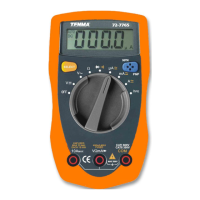
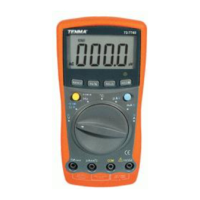
Display 200 count 31/2 digit LCD
Over range indicator OL
Polarity - indicates negative polarity
Low battery indication BAT symbol on display
Storage temperature
-10
o
C~50
o
C (14
o
F~122
o
F)
Operating temperature
0
o
C~40
o
C (32
o
F~104
o
F)
Battery type 9V NEDA 1604 or 6F22 or 006P plus 2 x AA
Fuse mA, µA ranges; 0.2A/250V FA
Dimensions (H x W x L) 162 x 74.5 x 44mm
Weight 308g incl batteries
BATTERY REPLACEMENT
FUSE REPLACEMENT
Warning: Only replace the battery after the test leads are removed and the power is
turned off.
To replace the battery:
• Remove the screws and lift off the battery cover.
• Replace old batteries with 2 x 1.5V AA & 1 x 9V type battery.
• Replace the battery cover and tighten the screws.
Warning: To avoid electric shock, disconnect the test leads from any voltage source
before removing the fuse cover.
To replace the fuse:
• Disconnect the test leads from the meter.
• Remove the protective rubber holster.
• Remove the battery cover and the battery.
• Remove the four screws securing the rear cover and remove the cover.
• Lift the center circuit board straight up from the connectors to gain access to the
fuse holders.
• Gently remove the old fuse and install the new fuse into the holder.
• Always use a fuse of the correct size and value (0.2A/250V fast blow for the
200mA range).
• Align the circuit board with the connectors and gently press back into place.
• Replace and secure the rear cover, batteries and battery cover.


 To Next Page