TM-185/TM-185D
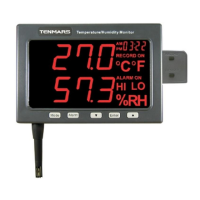
8 Alarm Range Setup
Push “ ” button into alarm setup LED will
display ALARM ON。If you just reading alarm
setup please push “ ” button again LED
will display ALARM OFF.
First push “ ” button into alarm range
setup,LED display show “ LO ALARM ON °C
or °F ”,and set LOW alarm Temperature, Push
“ ”or “ ” button to change the digit.
Second push “ ” button into alarm range
setup,LED display show “ HI ALARM ON °C or
°F”,and set Hi alarm Temperature, Push
“ ”or “ ” button to change the digit.
Third push “ ” button into alarm rang
setup, LED display slow “ LO ALARM ON
%RH”, and set Hi alarm Humidity, Push
“ ”or “ ” button to change the digit.
Fourth push “ ” button into alarm range
setup, LED display show “ HI ALARM ON
%RH”, and set Hi alarm Humidity, Push
“ ”or “ ” button to change the digit.
If you want to store this setup push the “ ”
button, If not push “ ” button then exit
alarm setup.


 To Next Page
 Loading...