EasyManua.ls Logo

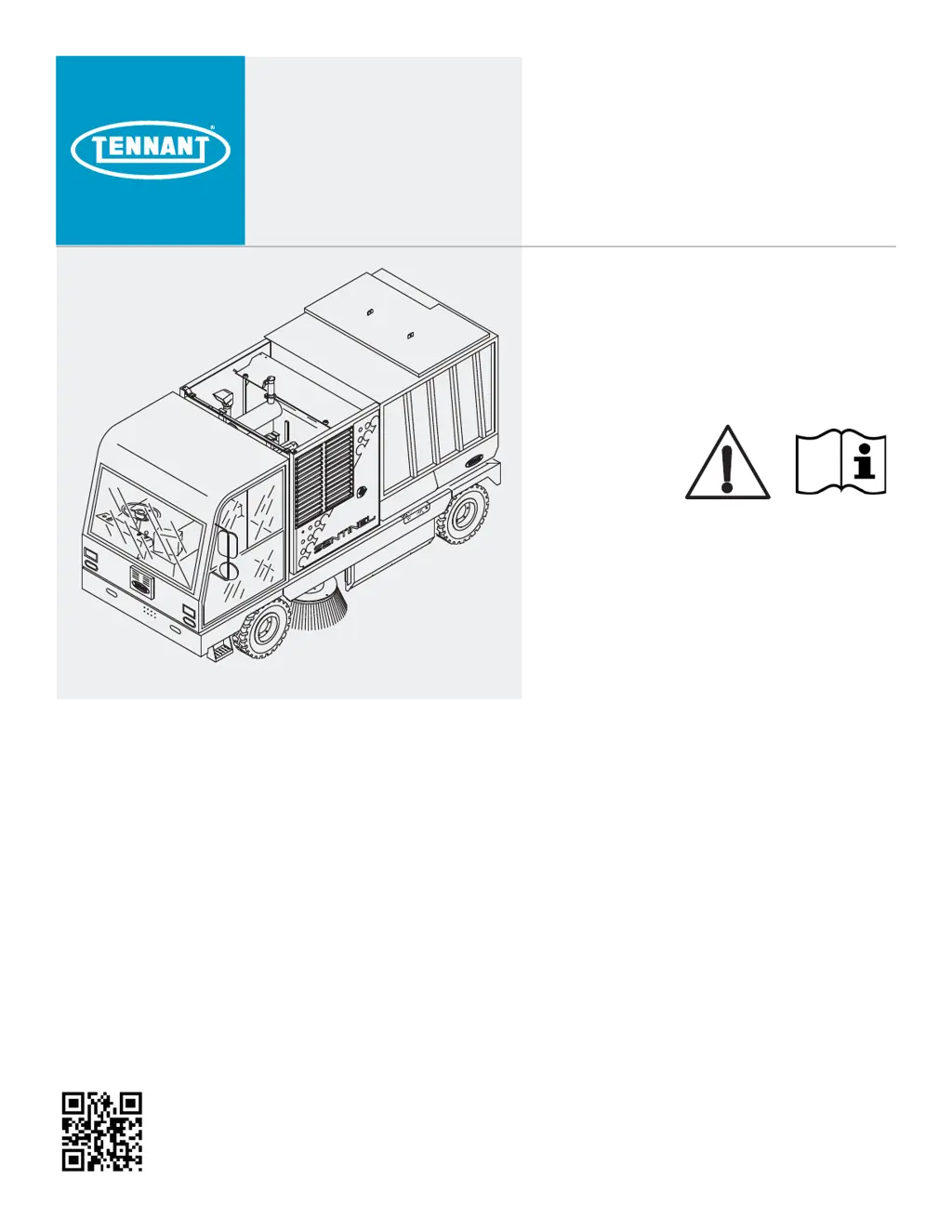
Tennant sentinel - Service Manual

Tennant sentinel
276 pages
Print Icon
To Next Page IconTo Next Page
Loading...
SENTINEL
(Diesel)
Service Manual
9018524
Rev. 00 (05-2019)
*9018524*
North America / International
For the latest Parts Manuals and other
language Operator Manuals, visit:
www.tennantco.com/manuals
Tennant True
®
Parts
Machine Serial Number Range
(S/N 011000- )
®

Table of Contents

Other manuals for Tennant sentinel

Questions and Answers

  • D
    Derek DiazAug 19, 2025
    What to do if my Tennant Floor Machine does not start?
    • D
      David ByrdSep 12, 2025
      If your Tennant Floor Machine isn't starting, several factors could be at play. First, make sure the parking brake switch is properly set. If that's not the issue, check if the glow plug needs heating. Also, ensure the fuel tank isn't empty and that the engine oil level is sufficient. Overheating can also prevent starting, so verify the coolant level. Finally, investigate and correct any engine faults or warnings that might be preventing the engine from starting. Addressing these potential issues should help you get your machine up and running.
  • K
    karen98Aug 21, 2025
    Why is my Tennant Floor Machine leaving excessive dust?
    • J
      Joseph Campbell PhDAug 21, 2025
      Excessive dusting from your Tennant Floor Machine can stem from several issues. Check the following: * Worn, damaged, or misadjusted brush skirts and dust seals: Replace or adjust them. * Clogged hopper dust filter: Shake, clean, or replace the filter. * Improperly lowered hopper: Ensure it's completely down. * Open hopper rear door: Close and latch it securely. * Closed conveyor/vacuum door: Open it. * Vacuum fan: Turn it on. * Thermo-Sentry tripped: Allow it to cool and reset. * Empty water tank (if equipped with Wet Dust Control Option): Fill the water tank. * Wet dust control water pump or valves not turned on (Wet Dust Control Option): Turn them on. * Clogged wet dust control filter (Wet Dust Control Option): Clean or replace the filter.
  • C
    Christopher MunozAug 23, 2025
    Why won't my Tennant Floor Machine propel?
    • J
      Justin WallaceAug 23, 2025
      If your Tennant Floor Machine isn't moving, check these items: * Make sure the operator is in the seat. * Ensure the parking brake switch is released. * Verify the directional switch is in forward or reverse, not neutral. * Check that the engine RPM is sufficient. * If the problem persists, there may be an issue with brake pressure, and you should contact service personnel.
  • C
    Cynthia ThomasAug 30, 2025
    What causes the hopper on my Tennant Floor Machine not to lift or tilt?
    • H
      Hunter JenkinsAug 30, 2025
      If the hopper on your Tennant Floor Machine won't lift or tilt, it could be due to a few reasons. Ensure the machine is on a level surface, as steep inclines can prevent proper function. Also, check that the parking brake switch is set and/or the service brake pedal is applied. An overloaded hopper can also cause this issue, so remove any excess debris. Finally, make sure the engine RPM is high enough to provide sufficient power for lifting and tilting.
  • D
    davidsonbarbaraSep 1, 2025
    Why does my Tennant Floor Machine sweeping functions keep raising and turning off?
    • B
      bmartinezSep 1, 2025
      If the sweeping functions on your Tennant Floor Machine keep raising and turning off, it's likely because the engine speed is too fast. Reducing the engine speed should resolve this issue.
  • R
    richardhernandezSep 3, 2025
    What to do if the 1-Step button will not activate on my Tennant Floor Machine?
    • L
      Leonard FisherSep 3, 2025
      If the 1-Step button on your Tennant Floor Machine won't activate, check if the hopper is raised or not fully forward; if so, lower it and move it completely forward. Also, ensure the engine speed (RPM) isn't too high; decrease it if necessary.
  • J
    Jessica GreenSep 5, 2025
    What to do if my Tennant sentinel Blower is causing excessive dusting?
    • J
      Janet PattersonSep 5, 2025
      If you're experiencing excessive dusting with your Tennant Blower, there are several potential causes. First, check if the brush skirts and dust seals are worn, damaged, or out of adjustment; if so, replace or adjust them. Make sure that the hopper is lowered completely and the rear door is closed and latched. Ensure the vacuum wand door is open and the vacuum fan is turned on. Also, the hopper dust filter might be clogged, so shake, clean, or replace it. In addition, check Thermo Sentry and reset it if tripped. If using wet dust control, ensure the water tank is full, the water pump and valves are on, and the filter isn't clogged. For a vacuum fan failure you should contact TENNANT service personnel.
  • A
    Ashley CardenasSep 7, 2025
    Why won't my Tennant Blower start?
    • J
      jasmin01Sep 8, 2025
      If your Tennant Blower doesn't start, there are several things you can check. Ensure the directional lever is in neutral. If the glow plug isn't heated, heat it. Make sure the fuel tank isn't empty and that the engine oil and coolant levels are adequate. Low engine oil pressure or high engine temperature can prevent starting. Fill the fuel tank, check engine oil level, and check coolant level.
  • A
    Angel ThompsonSep 9, 2025
    What to do if the hopper on my Tennant sentinel Blower will not lift or tilt?
    • B
      Brandon ChanSep 9, 2025
      If the hopper on your Tennant Blower won't lift or tilt, make sure the machine is on a level surface. Ensure the park or service brake is applied. Also, check if the hopper is overloaded; if so, remove some debris. Finally, make sure the engine throttle isn't too low; increase it if necessary.
  • A
    Antonio RichardsonSep 12, 2025
    Why is my Tennant sentinel Blower not propelling?
    • S
      scottjenniferSep 12, 2025
      If your Tennant Blower won't propel, make sure you are sitting in the seat and that the parking brake is released. Also, ensure the directional lever is in either the forward or reverse position, not neutral. For low brake pressure, contact service personnel.

Summary

General Information

Machine Components

Identifies the main parts of the Sentinel machine with labeled diagrams.

Instruments And Controls

Details the operator interface including touchscreen and console controls.

Specifications

Lists key machine dimensions, capabilities, and performance data.

Maintenance

Maintenance Chart

Outlines daily, hourly, and interval-based maintenance tasks.

Lubrication

Details lubrication points and intervals for various machine components.

Hydraulics

Covers hydraulic system checks, fluid types, and maintenance procedures.

Engine

Provides instructions for engine oil, fuel, and cooling system maintenance.

Fuses And Relays

Lists fuse and relay assignments for machine electrical circuits.

Brushes

Covers main and side brush inspection, maintenance, and replacement.

Troubleshooting

Warnings, Faults, And Inhibits

Explains machine alerts, fault indicators, and inhibit conditions.

Fault Codes

Provides a table of fault codes, conditions, reasons, and corrections.

Electrical Troubleshooting

Includes main and auxiliary wire harness diagrams and notes.

Hydraulic Troubleshooting

Details hydraulic hose routing and troubleshooting for various systems.

Component Locator

Identifies the location of key components via diagrams.

Service

Service Diagnostics Tool

Explains how to use the diagnostic tool for configuration and updates.

Replacing The UI (User Interface) Circuit Board

Step-by-step guide for replacing the touchscreen circuit board.

Axle Assembly;Brakes

Details procedures for disassembling and installing axle and brake components.

Removing The Parking Brake Assembly

Provides steps for removing the parking brake assembly.

Replacing The Vacuum Fan Hydraulic Motor(s)

Instructions for replacing vacuum fan hydraulic motors.

Tennant sentinel Specifications

General IconGeneral
BrandTennant
Modelsentinel
CategoryBlower
LanguageEnglish

Related product manuals