EasyManua.ls Logo

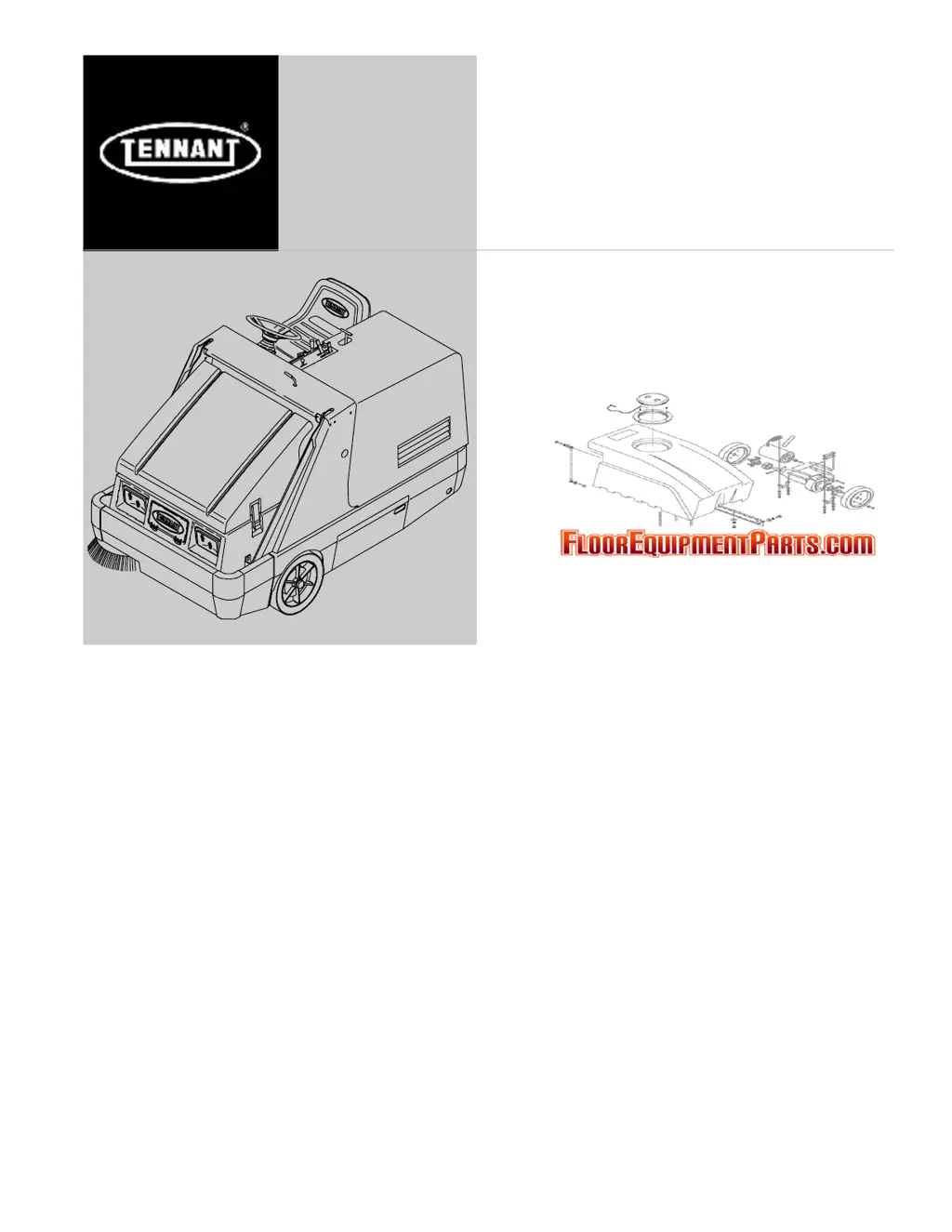
Tennant 6400 - User Manual

Tennant 6400
80 pages
Print Icon
To Next Page IconTo Next Page
Loading...
6400
*MM431*
www.tennantco.com
Sweeper
Operator Manual
MM431
Rev. 12 (04-2009)
North America / International
(Diesel)

Table of Contents

Questions and Answers

  • C
    Christina BurgessJul 26, 2025
    Why is my Tennant Floor Machine's sweeping performance poor?
    • R
      Robert BrownJul 27, 2025
      Poor sweeping performance in your Tennant Floor Machine can stem from several issues. Check if the brush bristles are worn and need replacement. Ensure the main and side brushes are properly adjusted. Debris caught in the main brush drive mechanism can also cause this, so remove any obstructions. Other potential causes include a full hopper (empty it), worn or damaged hopper lip skirts (replace them), or a hopper door that is partially or completely closed (open it). Also recirculation flap might be damaged (replace it). If the issue persists, it might be due to main or side brush drive failure, or using the wrong sweeping brush, in which case contact TENNANT service personnel or representative.
  • A
    Amy HarmonAug 1, 2025
    What to do if Tennant 6400 Blower has poor sweeping performance?
    • T
      Timothy LewisAug 1, 2025
      If your Tennant Blower's sweeping performance is poor, start by checking the brushes for wear and replace them if needed. Ensure that the main and side brushes are properly adjusted. Remove any debris caught in the main brush drive mechanism. Also, make sure the hopper isn't full and empty it if necessary. Examine the hopper lip skirts for wear or damage and replace them if needed. Ensure the hopper door is fully open and replace recirculation flap if damaged.
  • T
    Terrence OlsenAug 6, 2025
    How to stop excessive dusting from my Tennant Floor Machine?
    • L
      lucastinaAug 6, 2025
      Excessive dusting from your Tennant Floor Machine can be caused by several factors. First, ensure the vacuum fan is on. If it is off, move the vacuum and filter shaker lever to the 'Vacuum fan on' position. Other causes include worn, damaged, or misadjusted brush skirts and dust seals (replace or adjust them), a clogged hopper dust filter (shake, clean, or replace it), or a damaged vacuum hose (replace it). Also, make sure that hopper door is open and Thermo Sentry is not tripped (reset it). If the vacuum fan failed, contact TENNANT service personnel.
  • J
    Jeremy ThompsonAug 10, 2025
    Why is my Tennant 6400 Blower causing excessive dusting?
    • A
      arnoldaprilAug 10, 2025
      If the Tennant Blower is creating excessive dust, first, ensure the vacuum fan is on by moving the vacuum and filter shaker lever to the 'Vacuum fan on' position. Other potential causes include worn, damaged, or misadjusted brush skirts and dust seals, which would require replacement or adjustment. A clogged hopper dust filter should be shaken, cleaned, or replaced. A damaged vacuum hose also needs replacement. Additionally, check if the Thermo Sentry has tripped and reset it if necessary. Finally, ensure the hopper door is fully open.
  • S
    Sierra HunterAug 16, 2025
    What to do if my Tennant Floor Machine has excessive dusting?
    • D
      Debra Reed DDSAug 16, 2025
      Excessive dusting in your Tennant Floor Machine can stem from several causes. First, ensure the vacuum fan is on by moving the vacuum and filter shaker lever to the 'Vacuum fan on' position. Check the brush skirts and dust seals for wear, damage, or misalignment, and replace or adjust them as needed. A clogged hopper dust filter can also cause this issue, so shake, clean, or replace the filter. Inspect the vacuum hose for damage and replace if necessary. Reset the Thermo Sentryt if it has tripped. Lastly, make sure the hopper door is fully open.
  • T
    Timothy TurnerAug 20, 2025
    Why is my Tennant Floor Machine sweeping poorly?
    • C
      Christina WilliamsAug 20, 2025
      Poor sweeping performance in your Tennant Floor Machine can arise from several factors. Check the brushes for wear and replace them if the bristles are worn. Ensure the main and side brushes are properly adjusted. Remove any debris caught in the main brush drive mechanism. Make sure the hopper is not full, and empty it if necessary. Inspect the hopper lip skirts for wear or damage and replace them if needed. Confirm that the hopper door is fully open. Finally, replace the recirculation flap if it's damaged.

Summary

Safety Precautions

General Safety Precautions

Essential safety guidelines and warnings for machine operation and servicing.

Operation

Operator Responsibility

Outlines the operator's duties for machine care and safe operation.

Machine Components

Identifies and labels the major parts of the machine.

Symbol Definitions

Explains the meaning of control panel and machine symbols.

Controls and Instruments

Details the various controls and instruments on the operator panel.

Operation of Controls

Step-by-step instructions for using all machine controls.

How the Machine Works

Overview of how the machine's components function during sweeping.

Pre-Operation Checklist

A list of essential checks to perform before starting the machine.

Starting the Machine

Detailed procedure for starting the machine's engine.

Sweeping and Brush Information

Sweeping Procedures

Step-by-step guide on how to operate the machine for effective sweeping.

Stopping Sweeping

Instructions for properly concluding the sweeping operation.

Emptying the Hopper

Safe and efficient steps for emptying the debris hopper.

Stopping the Machine

Procedures for safely shutting down the machine engine.

Post-Operation Checklist

A list of tasks to perform after the machine has finished its operation.

Engaging Hopper Support Bar

How to safely engage the hopper support bar for maintenance.

Disengaging Hopper Support Bar

How to safely disengage the hopper support bar before operation.

Operation on Inclines

Guidelines for operating the machine safely on inclined surfaces.

Options

Vacuum Wand Operation

Instructions for using the optional vacuum wand attachment.

Machine Troubleshooting

Excessive Dusting Issues

Identifies causes and solutions for excessive dust during operation.

Poor Sweeping Performance

Addresses common causes and remedies for unsatisfactory sweeping results.

Maintenance

Maintenance Chart

A schedule of recommended maintenance tasks and intervals.

Lubrication Procedures

Detailed instructions for lubricating key machine components.

Hydraulic System Maintenance

Procedures for checking and maintaining hydraulic fluid and filters.

Engine Maintenance

Routine maintenance tasks for the engine, including filters and fuel system.

Electrical System Maintenance

Maintenance procedures for the machine's battery and electrical components.

Belts and Chains Maintenance

Checks and adjustments for engine and vacuum fan belts, and drag chain.

Debris Hopper Maintenance

Maintenance and cleaning of the hopper dust filter.

Brush Maintenance and Replacement

Instructions for main and side brush maintenance and replacement.

Skirts and Seals Maintenance

Inspection and adjustment of various skirts and seals on the machine.

Brakes and Tires Maintenance

Checks and adjustments for the braking system and tires.

Pushing, Towing, and Transporting

Procedures for safely moving and transporting the machine.

Machine Jacking and Storage

Safe methods for jacking the machine and preparing it for storage.

Specifications

General Machine Dimensions and Capacities

Detailed physical dimensions and capacity ratings of the machine.

General Machine Performance

Performance metrics like speed, turning radius, and incline limits.

Power Type Specifications

Technical details on the engine, fuel, cooling, and electrical systems.

Hydraulic System Specifications

Specifics on the hydraulic system's fluid types and capacities.

Tennant 6400 Specifications

General IconGeneral
BrandTennant
Model6400
CategoryBlower
LanguageEnglish

Related product manuals