EasyManua.ls Logo

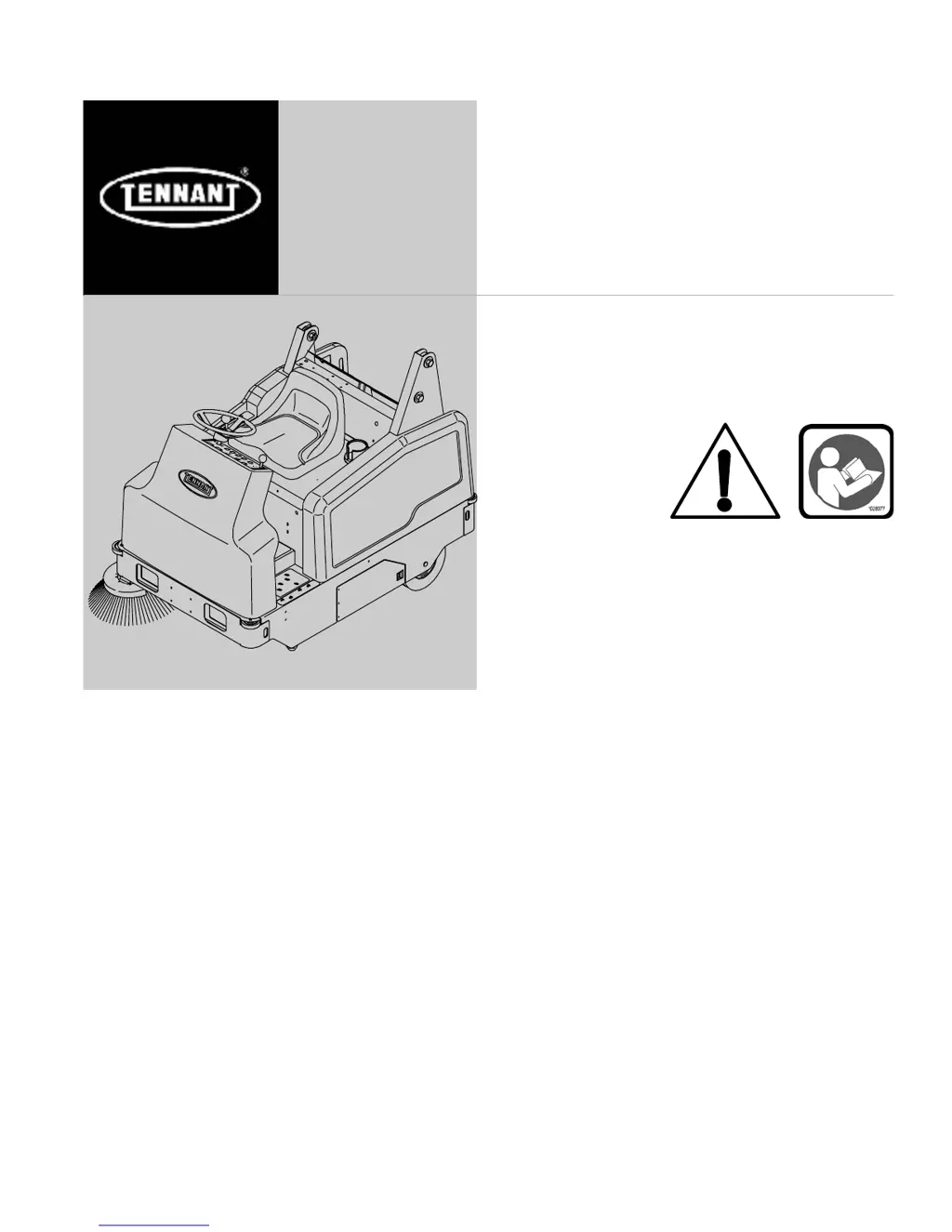
Tennant 6200 - User Manual

Tennant 6200
82 pages
Print Icon
To Next Page IconTo Next Page
Loading...
6200
*330410*
www.tennantco.com
330410
Rev. 11 (2-2010)
(Electric)
Sweeper
Operator Manual
North America / International

Table of Contents

Other manuals for Tennant 6200

Questions and Answers

  • S
    Shelia BrockJul 26, 2025
    What to do if Tennant Blower has poor sweeping performance?
    • J
      Johnathan CrosbyJul 26, 2025
      If your Tennant Blower's sweeping performance is poor, several factors could be the cause. Start by checking the following: * Replace worn brush bristles. * Adjust the main and/or side brushes if they are not properly adjusted. * Remove any debris caught in the main brush drive mechanism. * Empty the hopper if it is full. * Replace worn or damaged hopper lip skirts. Other possible causes include main or side brush drive failure (contact Tennant service), using the wrong sweeping brush (contact Tennant representative), a damaged large debris trap (repair or replace), a clogged hopper dust filter (shake, clean, or replace), a recirculation skirt edge not folded in (fold it in), or a damaged recirculation flap (replace it).
  • T
    Tammy HamiltonJul 31, 2025
    Why is my Tennant 6200's sweeping performance poor?
    • M
      Michael WilliamsJul 31, 2025
      If your Tennant Blower exhibits poor sweeping performance, several factors could be responsible. Worn brush bristles should be replaced. The main and side brushes may need adjustment. Clear any debris caught in the main brush drive mechanism. If the hopper is full, empty it. Replace worn or damaged hopper lip skirts. The hopper dust filter may need shaking, cleaning, or replacement. For issues like main brush drive failure or side brush drive failure, contacting Tennant service personnel is recommended. Contact a Tennant representative for recommendations on the correct sweeping brush. Also, repair or replace a damaged large debris trap.
  • J
    Jennifer OsbornAug 3, 2025
    How to fix excessive dusting from Tennant Blower?
    • K
      Katherine BaxterAug 3, 2025
      Excessive dusting from your Tennant Blower can occur for several reasons. Ensure the vacuum fan damper is open by pressing the vacuum fan / filter shaker switch to the on position. Replace or adjust brush skirts or dust seals if they are worn, damaged, or out of adjustment. Shake, clean, or replace the hopper dust filter if it's clogged. Empty the hopper if it's full. Ensure the hopper is fully lowered. For a vacuum fan failure, contact Tennant service personnel.
  • T
    Teresa FrancoAug 8, 2025
    Why is my Tennant Blower causing excessive dusting?
    • D
      David RamirezAug 8, 2025
      Excessive dusting from your Tennant Blower can occur for several reasons. First, ensure the vacuum fan is on by pressing the vacuum and filter shaker switch to the on position. Other potential causes include: * Worn, damaged, or misadjusted brush skirts and dust seals, which require replacement or adjustment. * A clogged hopper dust filter, which needs shaking, cleaning, or replacement. * Vacuum fan failure, in which case you should contact Tennant service personnel. * A tripped Thermo Sentry; remove the heat source from the hopper and restart the machine.
  • J
    Joseph HicksAug 12, 2025
    How to troubleshoot no power in Tennant Blower?
    • M
      Michael YoungAug 12, 2025
      If your Tennant Blower has no power, there are a couple of things you can check. First, make sure the power kill switch is not activated. If it is, turn it clockwise until it pops up, then turn the machine off and on. Also, verify that the batteries are properly connected to the machine.
  • E
    Elizabeth BuckAug 17, 2025
    What to do if Tennant Blower has low machine power?
    • S
      stewartjuliaAug 17, 2025
      If your Tennant Blower has low power, the most likely cause is low battery power. Check the batteries and charge them as needed.
  • T
    Taylor GarciaAug 21, 2025
    Why Tennant Blower does not propel?
    • J
      Juan DodsonAug 21, 2025
      If the Tennant Blower does not propel, make sure the operator is sitting in the seat.

Summary

Safety Precautions

Operation

Controls and Instruments

Identifies all controls, switches, pedals, and instruments on the operator panel.

Operating Controls and Functions

Details the operation of directional pedal, brake pedal, and other key machine controls.

Machine Operation Basics

Covers how the machine works, pre-operation checks, and starting procedures.

Sweeping and Brush Information

Guidance on sweeping techniques and information about different brush types.

Sweeping and Stopping Procedures

Step-by-step instructions for performing sweeping and stopping the machine.

Machine Troubleshooting

Identifies common problems, their causes, and suggested remedies.

Maintenance

Hydraulic System Maintenance

Covers hydraulic fluid reservoir, fluid type, and hose checks.

Battery Care and Charging

Instructions for battery maintenance, checking electrolyte levels, and charging procedures.

Brush Maintenance and Replacement

Covers main brush and side brush care, replacement, and pattern adjustment.

Tennant 6200 Specifications

General IconGeneral
BrandTennant
Model6200
CategoryBlower
LanguageEnglish

Related product manuals