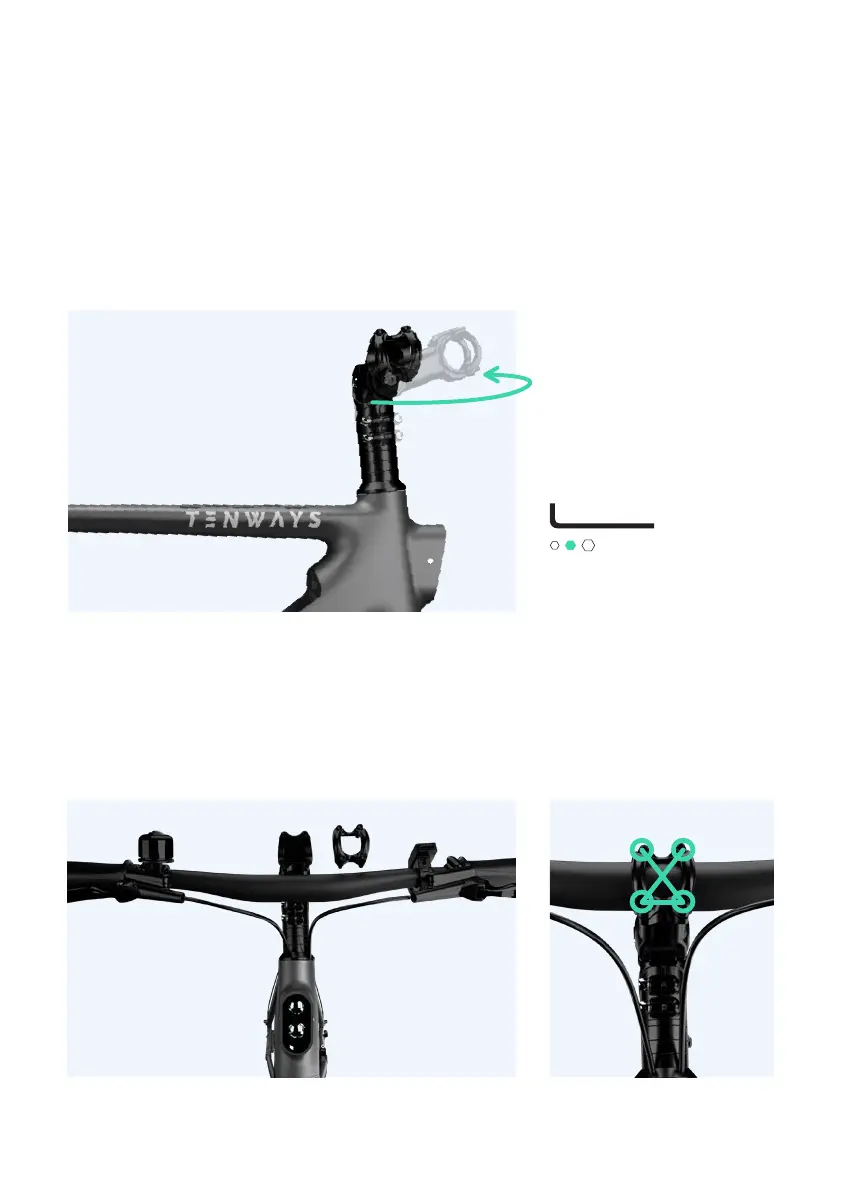
Hold the front fork firmly and turn the stem so it faces
forward, and then remove the front attachment with a
4mm Hex Key.
Put the handlebar into the stem slot, adjust the
handlebar so that its center and the slot's center are
aligned, and then use the 4 mm Hex Key to tighten the
screws in a diagonal pattern as shown in the picture
below.
3. Install the handlebar
4 mm Hex Key
10



 To Next Page