Teo IP Phone 4101 User Guide 5
24) Handset Jack – a jack on the left side of the telephone
connects to the included handset.
25) Headset Jack – a jack on the right side of the telephone
connects to an optional standard headset.
D
D
i
i
s
s
p
p
l
l
a
a
y
y
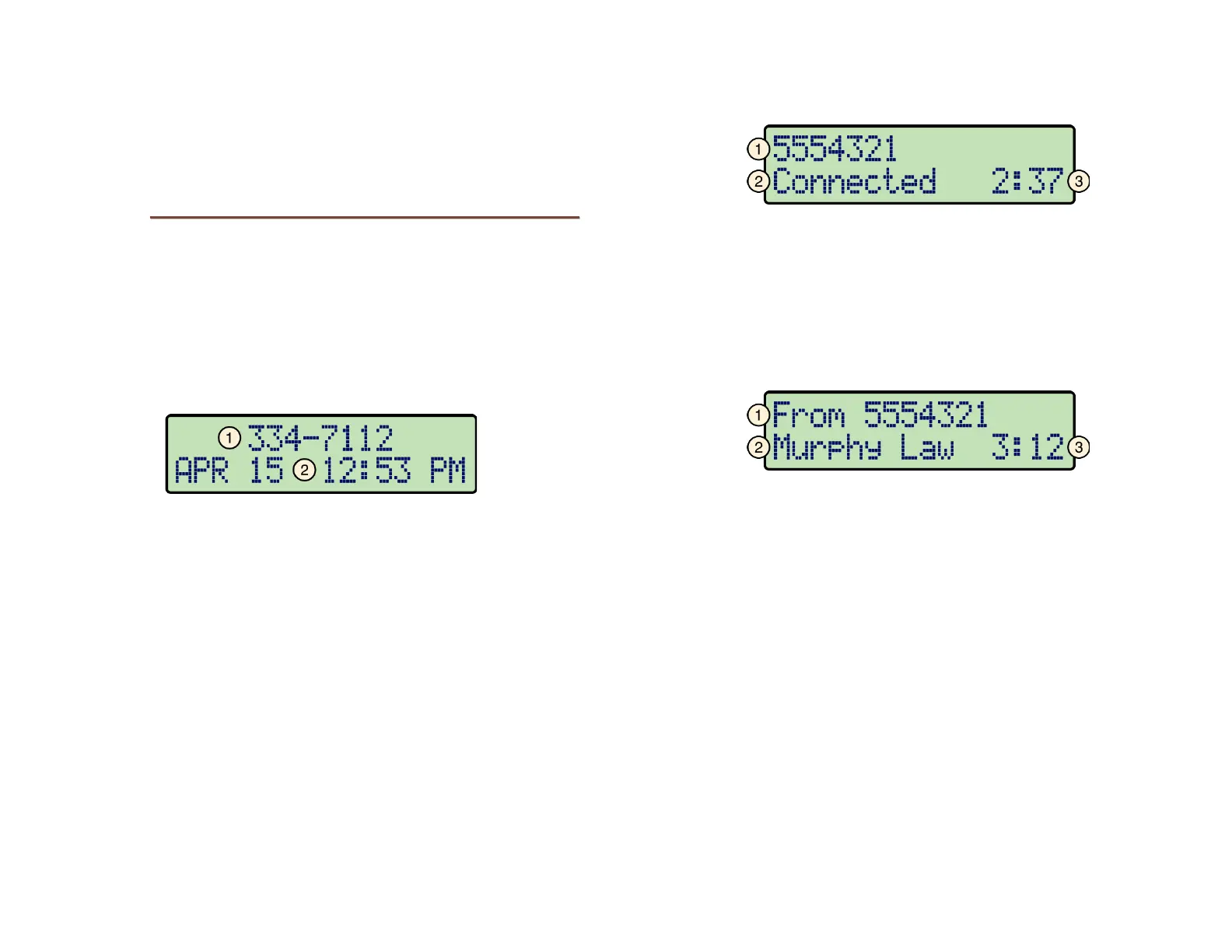
Call information, date and time, and other information are
shown on the 4101 display. The example below is a typical
display of call activity.
The display backlight is activated by pressing a key or lifting the
handset. It will automatically turn off after two minutes.
I
I
d
d
l
l
e
e
D
D
i
i
s
s
p
p
l
l
a
a
y
y
1) Line ID – identifies this phone; shown when the phone can
receive calls. This area may also display the extension
presence state, such as "Do Not Disturb" or "Call Forward".
2) Current Date and Time
D
D
i
i
s
s
p
p
l
l
a
a
y
y
d
d
u
u
r
r
i
i
n
n
g
g
C
C
a
a
l
l
l
l
A
A
c
c
t
t
i
i
v
v
i
i
t
t
y
y
O
O
u
u
t
t
g
g
o
o
i
i
n
n
g
g
C
C
a
a
l
l
l
l
1) Call Information – the called number, with caller ID when
available.
2) Call State – the current state of the call, such as "Connected,
"Dialing…", or "Call Held".
3) Call Timer – the total connected time for the call.
C
C
o
o
n
n
n
n
e
e
c
c
t
t
e
e
d
d
I
I
n
n
c
c
o
o
m
m
i
i
n
n
g
g
C
C
a
a
l
l
l
l
1) Call Information – the calling number.
2) Caller ID – shown when available.
3) Call Timer – the total connected time for the call.
O
O
t
t
h
h
e
e
r
r
I
I
n
n
f
f
o
o
r
r
m
m
a
a
t
t
i
i
o
o
n
n
Other information, shown throughout this manual, is displayed
when using the Call Directory, the Call Log, and when viewing
or changing various setup options.



 To Next Page