Teo IP Phone 7810 User Guide 16
Dialing a Call Log Entry
With the call you want to dial showing in the call log
display, select CALL.
An idle line appearance will be automatically
selected. For outgoing calls, all digits that were
dialed to complete the original call are shown.
The cursor will be positioned on the first digit in the
dialed number. Add any required additional
characters, such as outside line or long distance
access codes, with the dial pad (page 7).
When all characters have been entered, select SEND
or press the
OK key.
Note: Calls are automatically dialed after a preset
timeout that has been set by your installer.
Deleting a Call Log Entry
To delete the displayed call from the log, select
DELETE.
U
U
s
s
i
i
n
n
g
g
t
t
h
h
e
e
C
C
a
a
l
l
l
l
D
D
i
i
r
r
e
e
c
c
t
t
o
o
r
r
y
y
What is the Call Directory?
The Call Directory is a softkey-based speed dialing system that
can store up to 100 entries. A name display identifies each
entry. Use the directory to store frequently-dialed numbers
when additional Speed Dial keys are not available.
Directory entries are displayed on 10 screen pages, with 10
entries per page. The current directory page number (1-10) will
be shown under the time display.
Dialing from the Call Directory
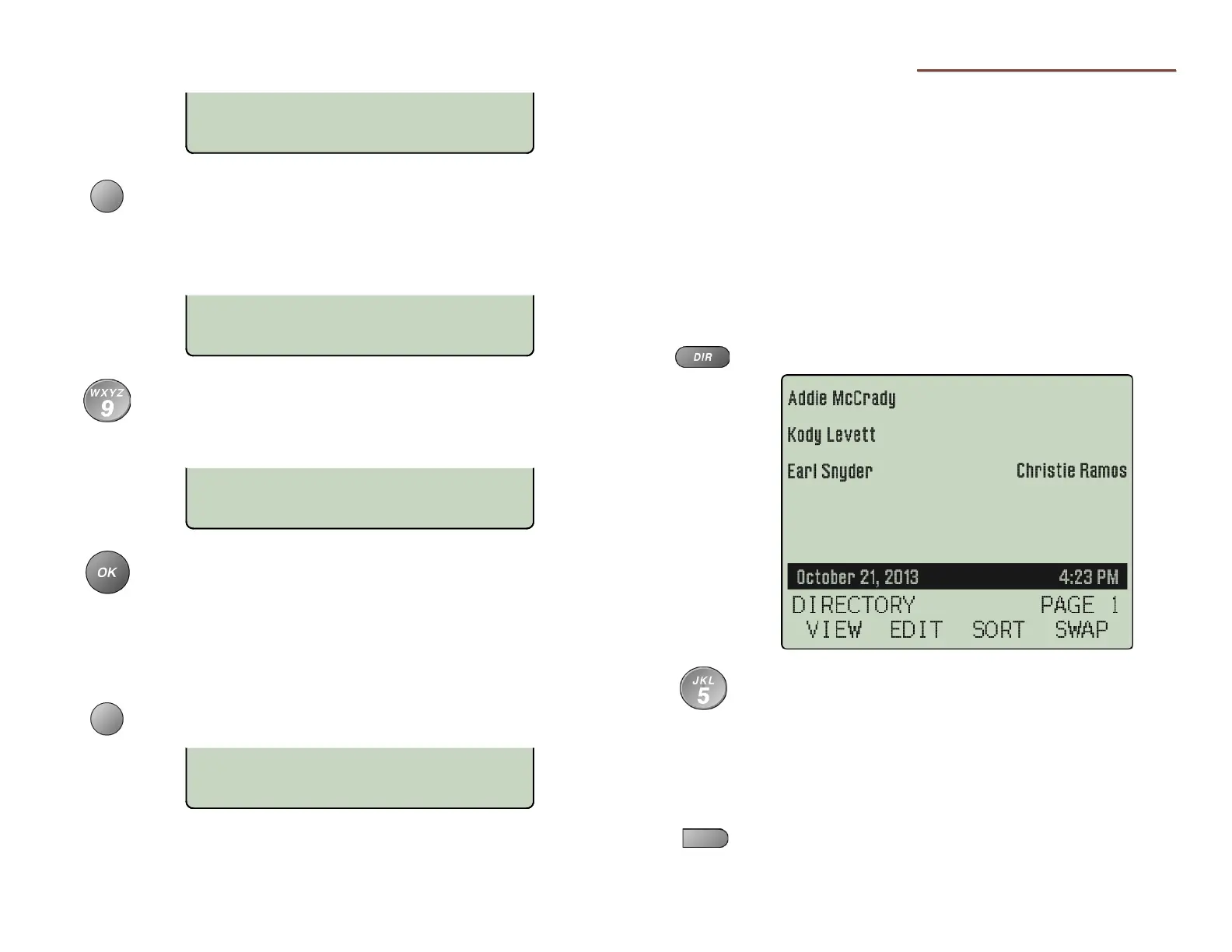
Press the
DIR
key.
To see a different directory page, select a page by
pressing a dial pad key (1-9, or 0 for page 10), or
press the Up Arrow or Down Arrow
key until the
desired page is displayed.
Go off-hook with the handset or headset first if Call
Monitoring has not been enabled by your installer
(page 17).
Press the multifunction key that is next to the
number you want to dial.
09:42A04/15 5551234
CALL DETAIL TYPE
1=915551234
BKSP
123
1=5551234
BKSP SEND 123
CALL LOG TYPE: ALL ¤
DELETE
DETAIL TYPE



 To Next Page