Teo IP Phone 7810 User Guide 22
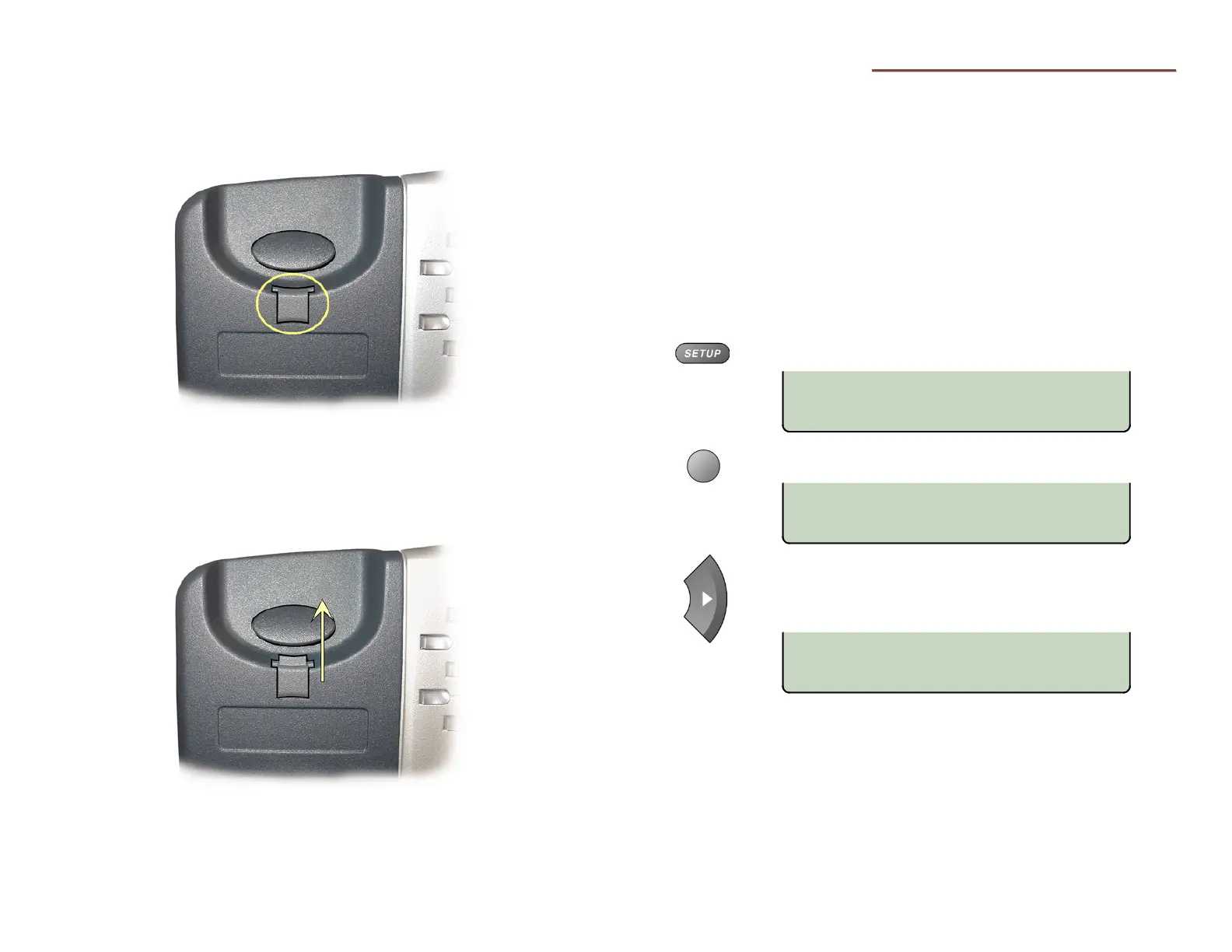
Handset Retainer Clip
For low desktop position use, the handset retainer clip should
be installed in the default position, without the tab protruding
into the hookswitch area.
Install the handset retainer clip as shown below for wall mount
use or high desktop positions, where the handset may be
inadvertently bumped from the cradle. Pull out the clip as
shown, rotate the clip 180°, and then re-insert the clip. The tab
should protrude into the hookswitch area.
U
U
s
s
e
e
r
r
O
O
p
p
t
t
i
i
o
o
n
n
s
s
M
M
e
e
n
n
u
u
The following personal preference options can be changed
from the User Options menu:
•
Time and Date
• Speed Dial Keys
• Voice Mail Key
• Call Directory
• Personal Ringing
•
Handset/Headset Mode
• Preset Volume Levels
• Display Contrast
• Call Log PIN
You can enter the User Options menu when the phone is idle or
during an active call.
Press the
SETUP key.
Select USER.
When
◄
or
►
appears in the upper line of the display,
you can press the Left or Right Arrow key to see
additional menu selections.
The arrow keys also move the cursor position when
entering text or numbers.
For a list of all selections available from the User Options
menu, see the User Options Menu Tree (page 36).
USER OPTIONS £
VOICE DISPLY PIN
USER OPTIONS ¤
CLOCK KEYS DIR RING
SETUP MENU
INSTL ADMIN USER



 To Next Page