8
5
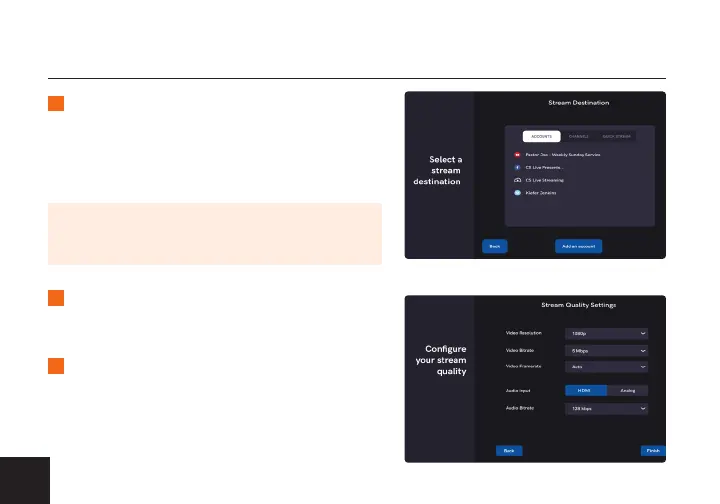
Select one of the congured accounts,
channels, or quick stream destinations
then enter all applicable information (title,
description, start time, etc.).
6
Select Enable or Disable Recording. If you
select Enable, select a drive. Tap Next.
7
Adjust the video and audio quality settings
then tap Finish to view the incoming video
feed. Tap the Stream tab on the top right
corner to begin streaming.
NOTE: Depending on the streaming destination you
select, there may be additional settings required to
begin streaming.



 To Next Page