6
1
2
Create a name for your event (optional),
then select a thumbnail so that it’s easily
identiable. Tap Next.
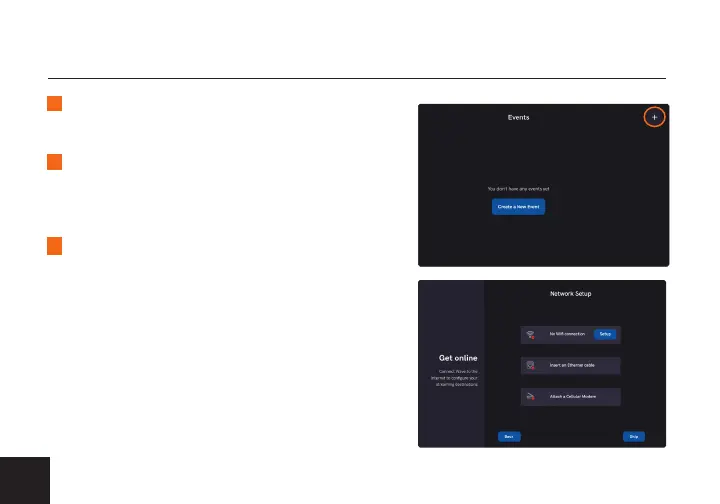
From the main screen, tap the + icon to
enter the Personalize your new Event screen.
GET STARTED
3
Select a method to connect to the internet:
• WIFI - Tap Setup, select a network, then
enter your password.
• ETHERNET - Plug an Ethernet cable
from an Ethernet switch or router.
• MODEM - Insert a compatible
3G/4G/5G USB modem.
Tap Next when done.
For more details on how to connect to a network, see page 12.



 To Next Page