1
2
Repeat steps 1-3 for the opposite side, then
tighten both thumbscrews.
Place a rosette disc over one of Wave’s side
mounting holes.
3
4
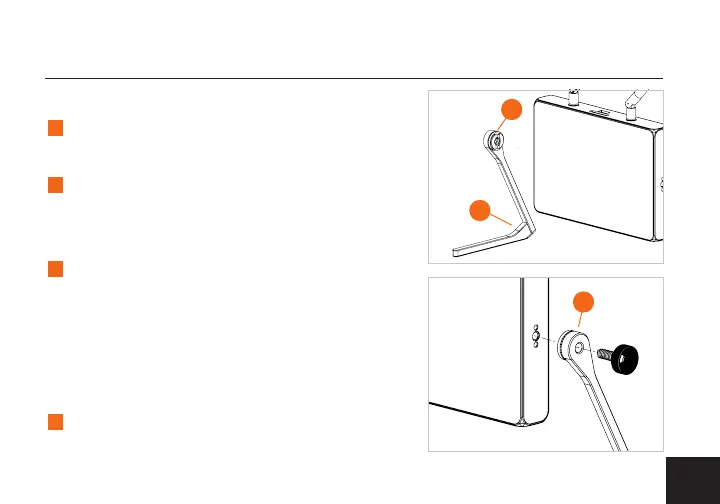
Ax one of the stands over the rosette disc
so that the both rosettes are facing each other
(1) and the feet are facing towards you (2).
Insert a thumbscrew through the stand and
rosette disc and into the mounting hole (3),
then slightly tighten the thumbscrew to secure
the arm against the device. Ensure that the
stand is loose enough in order to adjust the
stands to your preference.
STAND KIT INSTALLATION
5
1
2
3



 To Next Page