15
• Ethernet
• Up to two Teradek Nodes or 3G/4G/5G/LTE USB modems.
• WiFi (Client mode) − Connect to an existing wireless network or mobile hotspot
• WiFi (AP mode) − Connect up to four cellular devices with the Wave App
SUPPORTED CONNECTIONS
1
2
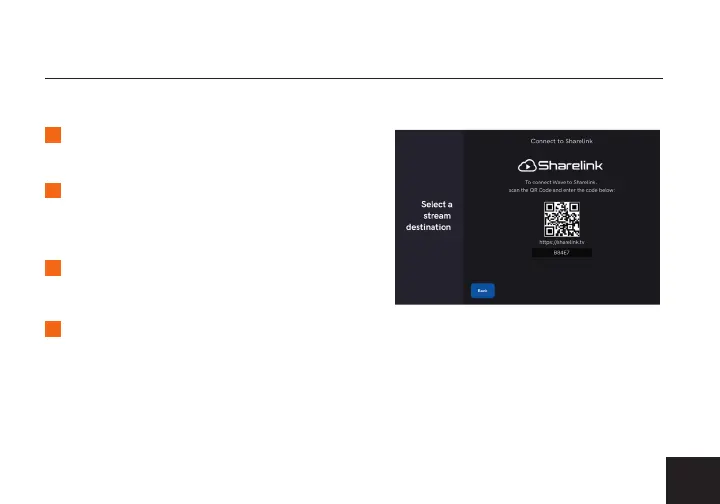
Select Sharelink from the Streaming
Accounts menu.
3
4
Copy the authorization code generated
for your Wave, then navigate to the
link provided.
Login to your Sharelink account, and
select Add new Device.
CONNECTING TO SHARELINK
Enter the authorization code, then click Add.



 To Next Page