25
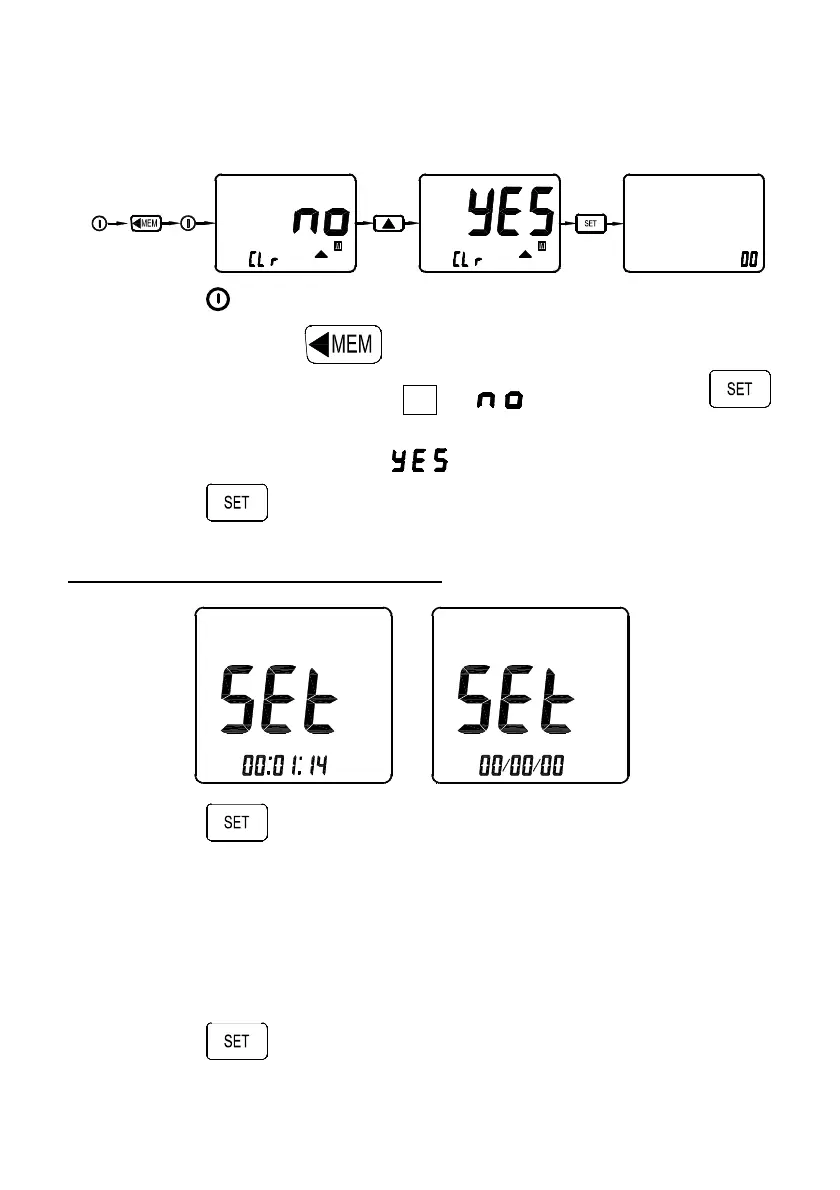
4-7-3 Deleting manual data memory measured values
Once the memory is full, you can clear the entire contents of
the manual data memory.
Hold-on
Power off
+
1. Press to turn off the meter.
2. Press and hold and turn on the meter again, the
display then shows “ CLr M ”, “ ” and “”, press
key will exit and not clear memory.
3. Press key to select “ ” to clear memory.
4. Press to clear memory and exit.
4-8 Setting current data and time
1. Press key to enter this mode, the “SEt” mark is
displayed.
2. Press ⊳ or key to move flashing two digit to desired
setting position “hh:mm:ss” or “YY/MM/DD”.
3. Press or keys to set the current time “hh:mm:ss” and
current date “YY/MM/DD”.
4. Press
key to store setting value and exit.



 To Next Page