10
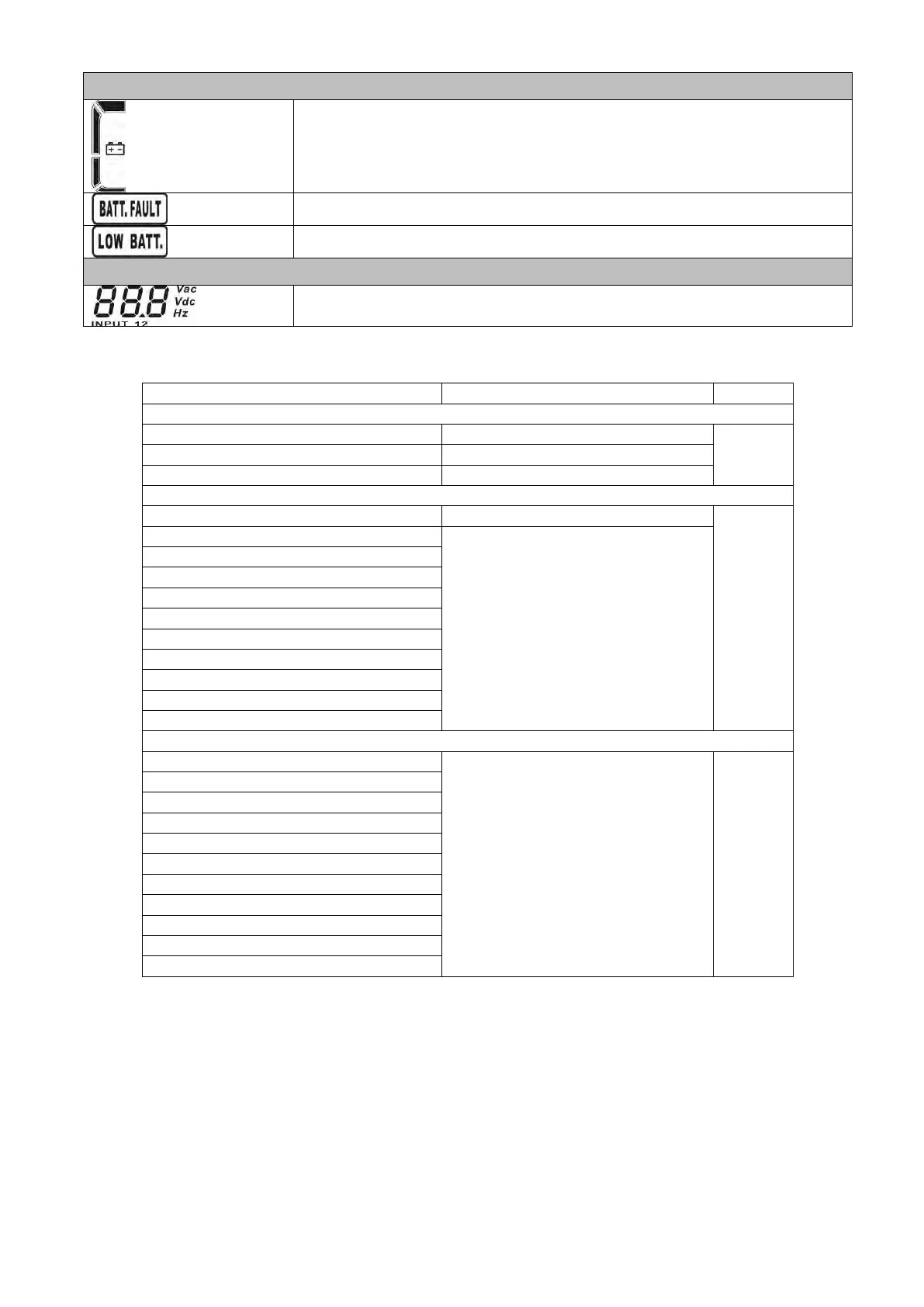
Indicates the Battery capacity by 0-25%, 26-50%, 51-75%, and 76-100%.
Indicates the battery is fault.
Indicates low battery level and low battery voltage.
Input & Battery voltage information
Indicates the input voltage or frequency or battery voltage.
Vac: Input voltage, Vdc: battery voltage, Hz: input frequency
3-3. Audible Alarm
Beeping once every 2 minutes
Beeping once every 4 seconds
Beeping twice every second
Beeping once every second
Fan failure/Over temperature
Overload 3 times in 30min
Inverter soft start failure
Inverter output short circuited
Battery SCR short circuited
3-4. UPS Operation
1. Turn on the UPS with utility power supply (in AC mode)
1) After power supply is connected correctly, set the breaker of the battery pack at “ON” position (the
step only available for long-run model). Then, set the input breaker at “ON” position. At this time,
the fan is running and the UPS supplies power to the loads via the bypass. The UPS is operating in
Bypass mode.
NOTE: When UPS is in Bypass mode, the output voltage will directly power from utility after you
switch on the input breaker. In Bypass mode, the load is not protected by UPS. To protect your










 To Next Page