20
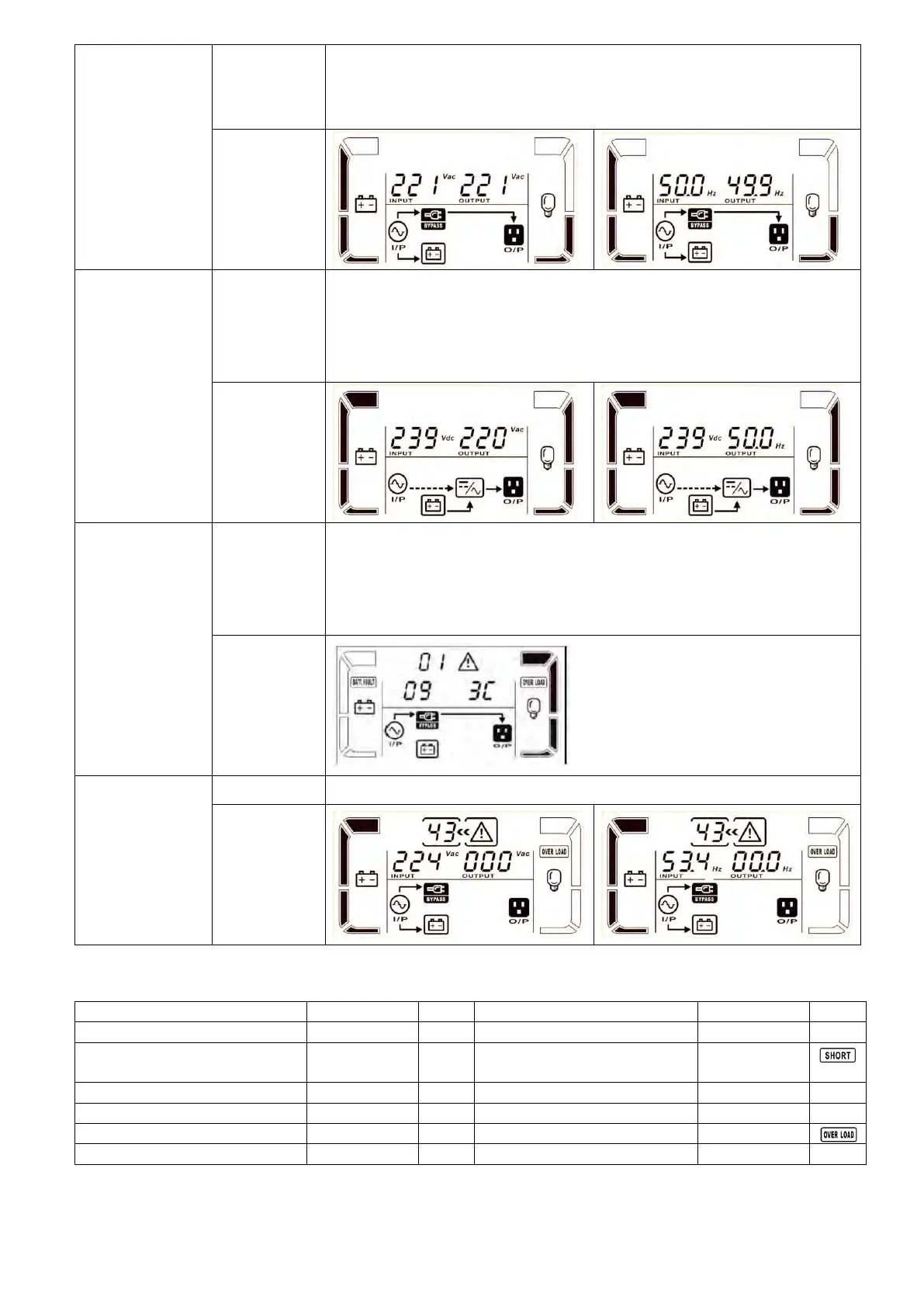
When input voltage is within acceptable range and bypass is enabled,
turn off the UPS and it will enter Bypass mode. Alarm beeps every two
minutes.
When UPS is in AC mode or CVCF mode, press “Test” key for more than
1s. Then, the UPS will beep once and start “Battery Test”. The line
between I/P and inverter icons will blink to remind users. This operation
is used to check the battery status.
When the UPS has warning happened and it can work normally, LCD
panel will display warning codes. Most can display three warning code
and each number represent a warning condition, can from the form of
warning instructions (3-9) to know what kind of situation.
When UPS has fault happened, it will display fault codes in LCD panel.
3-8. Fault Code
Inverter output short
circuited
Battery SCR short circuited
Inverter soft start failure










 To Next Page